Google Vids

AI video creation integrated with Google Workspace: scripts, storyboards, narration and editing assisted by Gemini.

💰Included in Google Workspace (from $12/month) ★★★★½ 4.5/5 (76 reviews)
Productivity Video
#Copilote bureautique #Text-to-video #Video presentations

Overview of Google Vids

https://workspace.google.com/products/vids
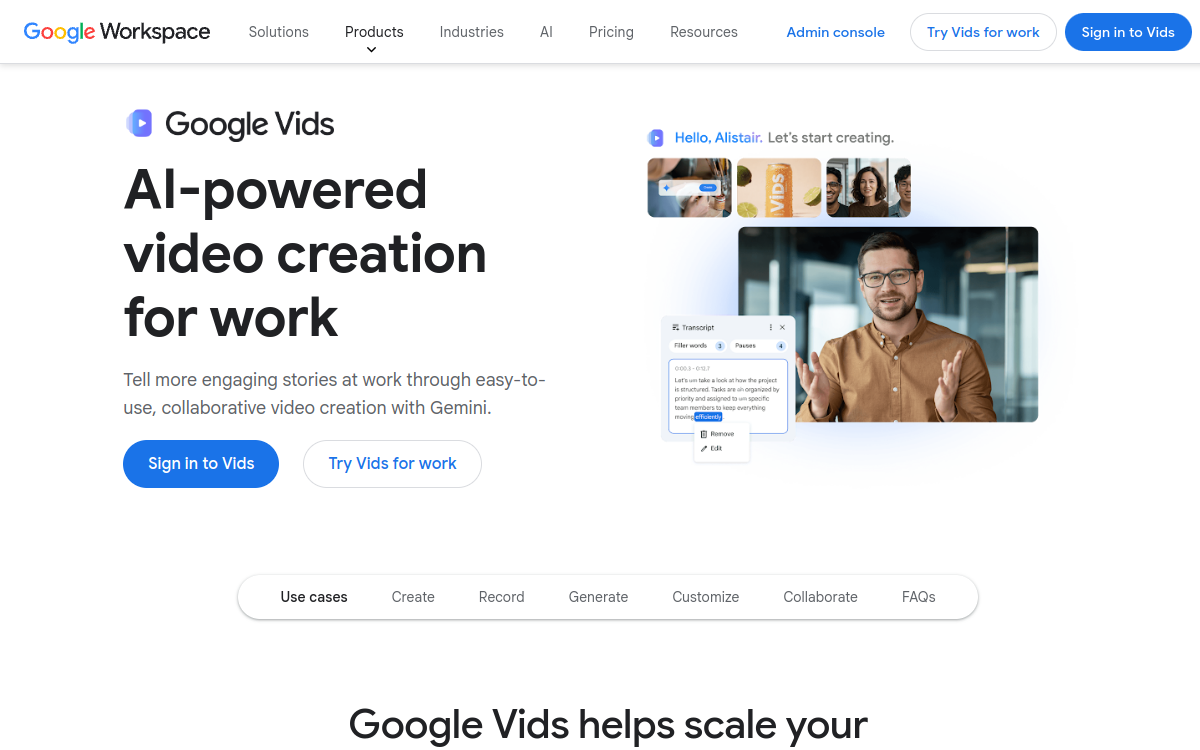
Screenshot of Google Vids
Visit Google Vids →

Présentation détaillée

Google Vids is the __AI video creation tool__ integrated into Google Workspace, powered by Gemini. It allows professionals to create __polished, professional videos__ from Google Docs, Slides, text prompts, or existing content. AI assists at every step: script generation, storyboard creation, visual selection, narration, and editing. Google Vids integrates natively into the __Google Workspace ecosystem__ (Drive, Docs, Meet) for a frictionless workflow. It is designed for corporate presentations, training, internal communications, and marketing videos.

What is Google Vids?

Google Vids is an AI video creation tool that is part of the Google Workspace suite. It allows creating professional videos from various sources (Google Docs, Slides, text prompts) without editing expertise. Powered by Gemini, it assists the user at every step: script generation, storyboard creation, visual selection, narration, and final assembly. It integrates natively with Google Drive for storage and sharing.

Key Features

Google Vids offers AI script generation from a topic or existing document. Automatic storyboard creation structures content visually. AI narration generates natural-sounding voiceover synchronized with content. Professional templates are available for different video types (presentation, training, internal communication). Drive integration allows direct sharing within the Google ecosystem. Real-time collaboration follows the Google Docs model.

Use Cases

HR teams use Google Vids to create onboarding videos, company values presentations, and e-learning training. Managers use it to communicate quarterly updates and team messages more engagingly than email. Marketing teams produce product presentations and customer case study videos. Trainers create video training modules from their existing documentation.

Advantages

Google Vids eliminates the technical barrier to video creation for non-specialists. Its integration into Google Workspace creates a frictionless workflow: existing documents become videos without switching tools. Inclusion in Workspace plans avoids additional cost. Native collaboration facilitates validation and sharing of produced videos.

Pricing

Google Vids is included in all paid Google Workspace plans. Business Starter plan starts at $12/user/month, Business Standard at $18/user/month, Business Plus at $26/user/month. A 14-day free trial is available for new Workspace subscribers.

Conclusion

Google Vids represents a significant breakthrough in democratizing video creation in business. Its native integration with Google Workspace, combined with the power of Gemini AI, makes it the ideal tool for organizations seeking to make video communication accessible to all employees, without additional investment.

✅ Strengths

  • Native Google Workspace integration: from Docs, Slides, Drive
  • Gemini AI assistance at every step: script, storyboard, narration, editing
  • No video skills required: step-by-step guidance for non-specialists
  • Sharing and collaboration directly via the Google Workspace ecosystem
  • Professional templates suited to different business contexts
  • Included in Workspace: no additional cost for Business subscribers

⚠️ Limits

  • Limited advanced features compared to specialized video tools
  • Available only in paid Google Workspace plans
  • Creative customization more restricted than a dedicated editing tool
  • Dependence on Google’s ecosystem for optimal experience
👤 GOOD CHOICE?

Google Vids est-il fait pour vous ?

✓ Ideal if you…

  • Équipes d’entreprise créant des vidéos sans expertise
  • Formateurs et RH produisant des contenus e-learning
  • Managers communicant visuellement avec leurs équipes
  • Abonnés Google Workspace valorisant leur suite existante

✗ To avoid if you…

  • Créateurs vidéo pro ayant besoin d’un montage avancé
  • Studios de production cherchant des outils spécialisés
  • Utilisateurs non abonnés à Google Workspace
  • Projets nécessitant des effets spéciaux ou post-prod complexe

🎯 Our verdict

Google Vids marks Google’s entry into the market of AI video creation tools for business. Its positioning is clear: make professional video creation accessible to all employees, without technical expertise, directly from the Google Workspace suite. Native integration with Google Docs, Slides, and Drive is the tool’s main advantage. Being able to transform an existing document into a professional video in a few clicks dramatically reduces friction in internal communication workflows. Gemini AI handles the most time-consuming steps: script generation, storyboard creation, visual selection, and narration. For HR teams, trainers, managers, and internal communicators, Google Vids is a real productivity accelerator. The fact that it is included in Google Workspace Business plans (from $12/user/month) at no additional cost is a strong commercial argument. Limitations are real, however: Google Vids is not a professional editing tool. Experienced video creators or production studios will find the features insufficient. Creative customization remains more limited than specialized tools like Descript or Adobe Premiere. For organizations already on Google Workspace seeking to democratize video internally, it is a natural and frictionless choice.

❓ FREQUENT QUESTIONS

FAQ — Google Vids

Is Google Vids included in Google Workspace?
Yes. Google Vids is included in Google Workspace Business Starter ($12/user/month), Business Standard, Business Plus, and Enterprise plans, at no additional cost.
Do you need video editing skills to use Google Vids?
No. Google Vids is designed to be accessible to non-specialists. Gemini AI guides the user through every step of video creation, from script to final editing.
What sources can you create a video from in Google Vids?
You can create a video from a Google Doc, Google Slides, a text description (prompt), or from scratch. Google Vids integrates natively with the Google Drive ecosystem.
Is Google Vids available in French?
Yes. Google Vids supports multiple languages, including French, for script generation and narration. Feature rollout may vary by region.
What is the difference between Google Vids and Google Slides?
Google Slides creates static slide-based presentations. Google Vids generates narrative videos with audio, transitions, and AI narration, offering a more engaging format for communication.
★★★★½ 4.5/5 (76 avis)
✅ Verified by Comparateur-IA
Productivity Video

AI video creation integrated with Google Workspace: scripts, storyboards, narration and editing assisted by Gemini.

💰 Rate Included in Google Workspace (from $12/month)
🆓 Free trial Yes
🌐 Languages 🇬🇧 English, 🇫🇷 Français, 🇩🇪 Deutsch, 🇪🇸 Español, +8 others
Visit the site →
🔗 Also to discover

Related resources

This site is registered on wpml.org as a development site. Switch to a production site key to remove this banner.