


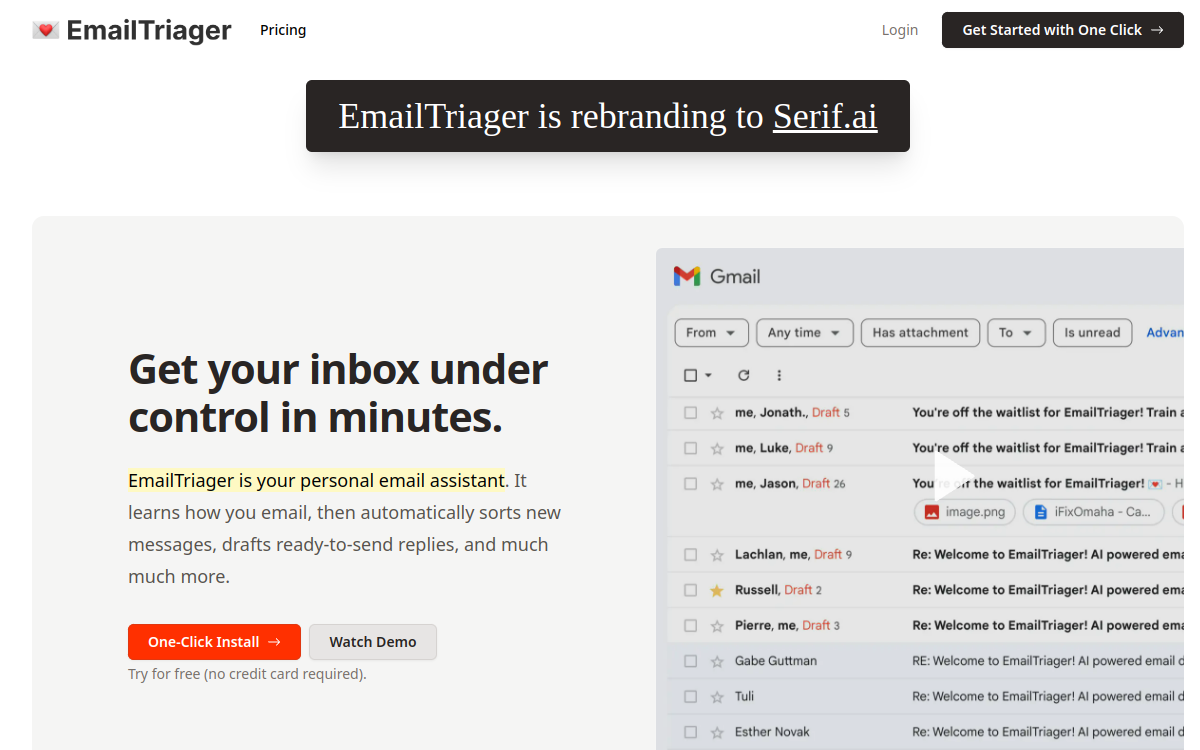
EmailTriager is an email assistant for Gmail that analyzes your past exchanges to pre-draft relevant replies, directly as drafts. The tool aims for inbox zero by reducing mental load: you just need to review, adjust and send. It emphasizes brand voice (tone, phrases, signature) and sorting rules to prioritize messages that matter.
What is EmailTriager?
EmailTriager is an AI assistant focused on email management, designed for Gmail. Its promise is to reduce time spent drafting and organizing by generating reply drafts directly in your inbox. The tool relies on your past exchanges to produce replies consistent with how you write. Rather than automating sending, EmailTriager positions itself as a copilot: it proposes, you decide. This approach is particularly suited to professional contexts where human validation is essential (customer relations, support, partnerships). Beyond drafting, EmailTriager emphasizes prioritization and transforming email into a manageable flow to reduce clutter and improve response regularity.
Main Features
EmailTriager’s key feature is generating reply drafts in Gmail. When a message arrives and needs action, the tool proposes a pre-drafted, structured reply ready to send after review. This greatly speeds up repetitive situations: confirmations, support replies, information requests, follow-ups. EmailTriager relies on a knowledge base from your past emails to align with your style: opening phrases, tone, signature, detail level. Depending on usage, this allows obtaining more “human” replies than generic templates, and maintaining brand consistency. Finally, the tool aims for smart sorting: distinguishing what really needs a reply, what can be archived, and what should be prioritized. The goal is to reduce cognitive load and make daily processing more mechanical and predictable.
Use Cases
EmailTriager is particularly effective for professionals receiving high email volume with significant repetitive portions. First use case: support and customer relations. Requests often come in similar forms, and pre-drafting allows answering faster while maintaining constant quality. Second use case: agencies and freelancers. Between client questions, validations, project follow-ups and follow-up messages, drafting time adds up quickly. Having ready-to-validate drafts reduces effort and helps stay regular. Third use case: managers and business teams. Coordination exchanges, meeting requests, document feedback and follow-ups can be sped up via proposed replies. Finally, EmailTriager can help regain control of a cluttered inbox, transforming processing into a daily review routine rather than endless drafting sessions.
Advantages
The primary benefit is time savings: most replies start with an already-drafted template, which greatly reduces friction. The second benefit is reduced mental load: you no longer have to “think about how to reply” for each email, you evaluate a proposal. Third benefit: tone consistency. By relying on history, the tool helps standardize replies while keeping a style close to your writing. This is useful for brand image and for teams. Fourth benefit: better regularity. When replies are faster, follow-ups decrease, exchanges flow smoothly and projects advance. Finally, EmailTriager preserves an important point: human control. Not sending automatically reduces risks and facilitates adoption in professional contexts.
Pricing
EmailTriager operates on a subscription model with plans adapted to volume. Billing emphasizes actual usage: certain plans are based on “accepted drafts” quotas, meaning replies sent with minimal changes. This approach aims to align cost with value obtained. In practice, you’ll choose a plan based on your email frequency and how many replies you want to delegate to the assistant. A free trial may be offered depending on the current offer, allowing you to validate draft quality and fit with your style before committing. To estimate ROI, compare monthly cost to time saved: if the tool saves you even 15 to 30 minutes daily, the ROI quickly becomes interesting for most professionals.
Conclusion
EmailTriager is an excellent choice if your main bottleneck is drafting and daily email management in Gmail. By generating ready-to-send drafts, the tool transforms email into a review flow, which speeds up processing and reduces mental load. It’s particularly suited to high-volume profiles: support, freelancers, agencies, managers. Points to watch concern Gmail-only integration, need to calibrate and review, and costs linked to quotas/volumes. If you’re looking for an email assistant that saves you time without automating sending, EmailTriager deserves testing, ideally via trial, to validate reply quality in your real scenarios.