



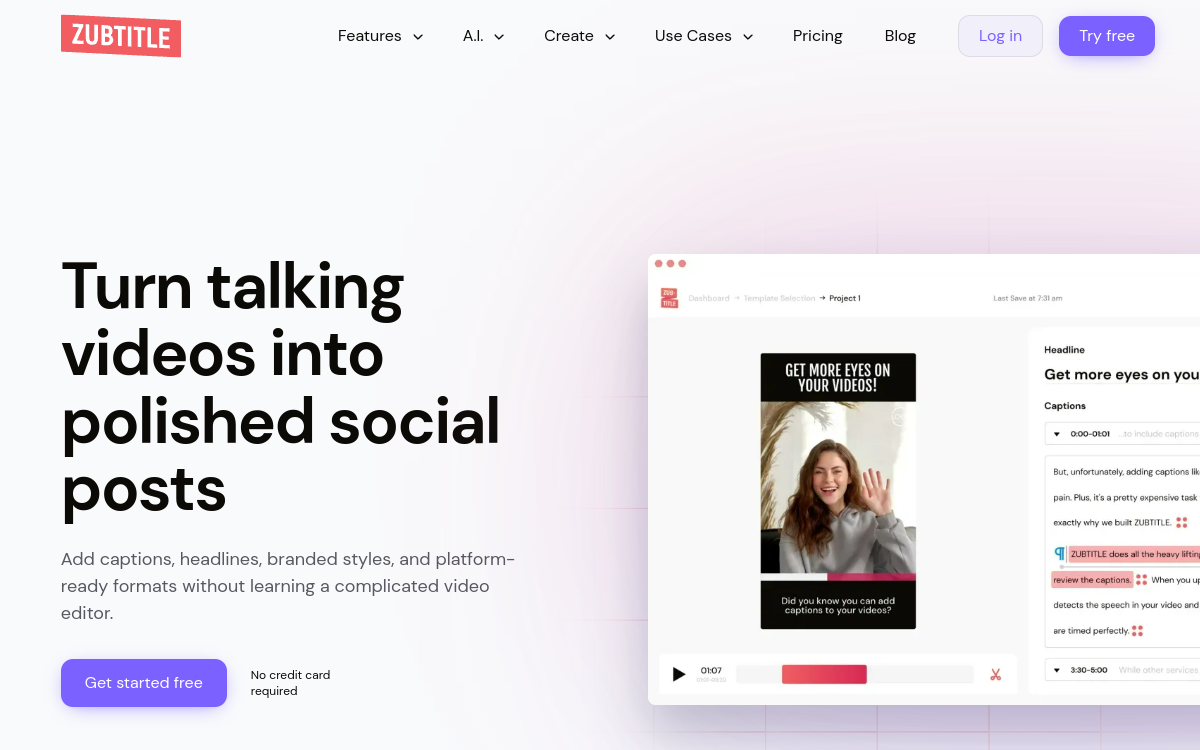
Zubtitle is a specialized tool for AI subtitle generation and video customization for social networks. From a video, it automatically transcribes the audio, adds animated subtitles and allows adding titles, progress bars or branding elements. The tool helps creators, coaches and marketers make their content more engaging, especially in silent consumption on mobile. It also simplifies adapting horizontal videos to vertical or square formats.
What is Zubtitle?
The essentials
Concretely, Zubtitle allows you to import a video, launch audio-to-text transcription and generate synchronized subtitles. The user can then customize the subtitle style, choose fonts, colors, animations and add additional elements such as a title, banner or progress bar. The interface is designed for social uses: vertical or square formats, optimized text areas, silent mode viewing. The goal is to enrich existing videos to make them more performant in the feeds of major platforms.
Key features
The main features of Zubtitle include automatic AI-based transcription, subtitle generation, text and timing editing, style customization and adding graphic elements. The tool also offers templates adapted to different social formats, making it easy to adapt a horizontal video to a more immersive vertical format. Some plans include high-resolution exports, project management and batch video processing options. The priority remains ease of use and speed rather than granular control over all editing aspects.
Use cases
Zubtitle is particularly useful for creators who regularly publish podcast excerpts, face-to-camera videos, business advice or experience reviews on social networks. Coaches, infopreneurs and consultants use it to make their videos more accessible and professional. Marketing teams use it to adapt quickly shot videos into ready-for-LinkedIn, TikTok or Instagram content. The tool is also suitable for small organizations that do not have internal resources to handle subtitling manually.
Advantages
One of the main benefits of Zubtitle is the time savings on transcription and subtitle formatting. The AI handles generating a first version, which the user adjusts in minutes rather than typing everything manually. The ability to stylize subtitles and add design elements contributes to reinforcing the visual impact of the video, which can improve retention rate and engagement. By making videos more accessible, Zubtitle also contributes to a better user experience, especially for people who view content without sound.
Pricing
Zubtitle generally works with a freemium model and several paid plans. The free or trial formula allows you to test transcription and subtitle functionality, often with duration limitations or a watermark addition. Paid plans offer more processing minutes, better branding control, watermark-free exports and additional features for creators or teams who use the tool regularly.
Conclusion
In summary, Zubtitle does not seek to replace a complete video editor, but to provide a targeted answer to the problem of subtitles and social video customization. For creators and professionals who frequently publish spoken videos, it becomes an important link in the production workflow. On a site like Comparateur-IA.com, Zubtitle naturally finds its place in the category of AI tools that improve readability and performance of video content without complicating the technical stack of users.