


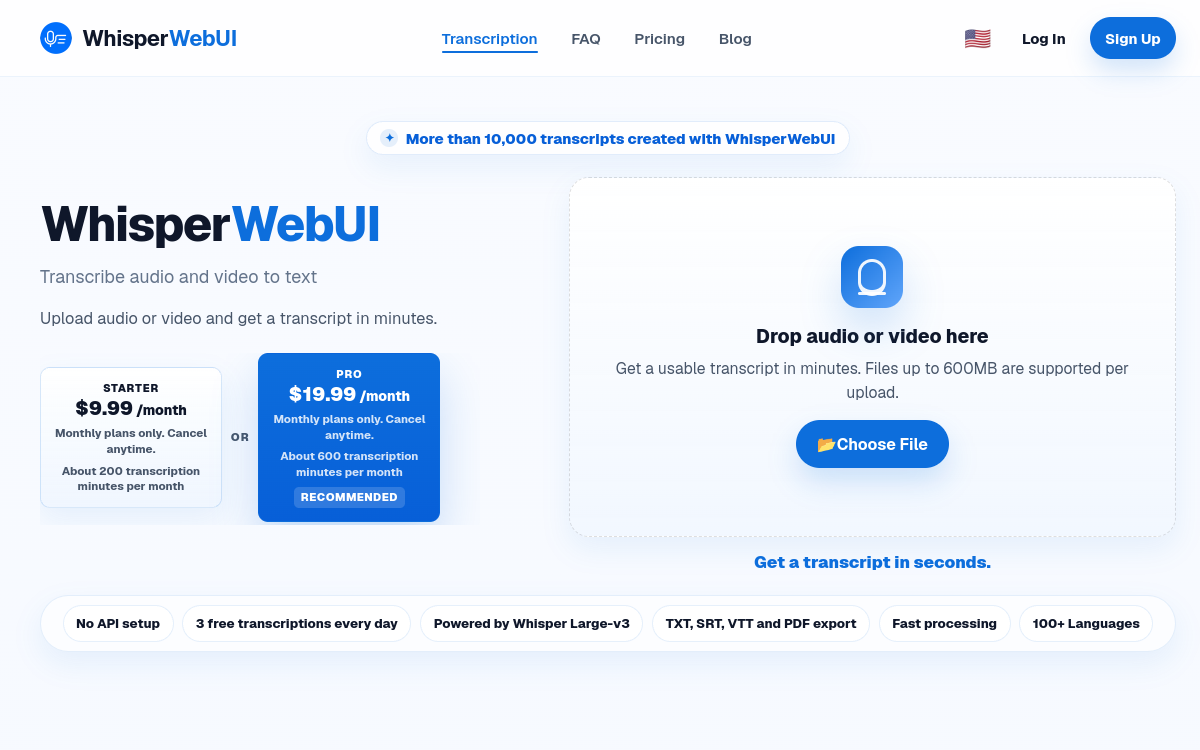
Transcribing an audio or video file to text has become a routine task for many professions: journalism, content creation, research, education. Yet technical solutions like installing models locally or using an API key remain a barrier for many users. WhisperWebUI proposes a different approach, entirely accessible from your browser. The tool converts audio and video files to text in minutes, leveraging Whisper technology, without requiring any particular technical configuration. With support for over 100 languages and export in multiple formats, it serves both creators and professionals who need subtitles or written transcripts. In this article, we examine concretely what WhisperWebUI offers, how it works, when it’s useful, its advantages, its pricing model, and who it suits best.
What is WhisperWebUI?
The essentials
WhisperWebUI is an online audio and video transcription service. It relies on Whisper, the speech recognition technology popular for its accuracy and multilingual coverage. In practice, the user uploads a file in MP3, WAV, M4A, MP4 or WEBM format, and the tool returns a text transcription. The distinctive feature of WhisperWebUI is that all processing happens server-side: model calls are made on the service’s infrastructure, not in the browser. The user therefore needs neither an API key nor any software to install. The result can then be exported in various formats depending on the need, from simple text files to subtitle files.
Key features
WhisperWebUI focuses on simplicity and versatility. The core feature is Whisper-powered transcription, which covers over 100 languages. The tool accepts a range of audio and video input formats: MP3, WAV, M4A, MP4 and WEBM, making it possible to process both voice recordings and videos. On the output side, transcriptions can be exported as TXT for plain text, SRT and VTT to generate synchronized subtitles, or PDF for a document ready to share. Processing occurs server-side, with files transferred via HTTPS, which spares the user from handling API keys or installing a local environment. The entire workflow happens from the browser: you upload your file, launch the transcription, then retrieve the result. This approach significantly lowers the technical barrier, particularly for people unfamiliar with command-line tools or development libraries.
Use cases
WhisperWebUI has varied uses. Content creators and videographers use it to quickly generate subtitles in SRT or VTT format, making their videos accessible and better indexed. Journalists find it a convenient way to transcribe interviews or press conferences into usable text. Podcasters can produce a written version of their episodes, useful for SEO and accessibility. On the education side, students and instructors convert audio lectures or conferences into browsable notes. Finally, support for over 100 languages opens up multilingual transcription use cases, for example for international teams or content destined for multiple markets.
Advantages
The main advantage of WhisperWebUI is accessibility: no technical skill is required, neither API key nor installation. The user saves time by avoiding the usual configuration of transcription tools. Whisper’s accuracy and coverage of over 100 languages offer quality suited to many professional contexts. The diversity of export formats, from plain text to subtitles to PDF, allows direct reuse of the result based on your objective. Finally, managing everything from the browser means no local resources are used for computation, making the tool usable even on modest machines.
Pricing
WhisperWebUI operates on a multi-tier model. A free plan allows you to transcribe short files, which is sufficient to discover the tool or handle occasional needs. For longer files, higher usage limits, faster processing, and more export options, paid plans are offered. These plans are monthly and cancellable at any time, providing flexibility as your workload evolves. Exact amounts are not detailed publicly in available sources; you should consult the service’s pricing page to find current prices.
Conclusion
WhisperWebUI effectively answers a specific need: transcribe audio and video to text without technical constraints. Its strength lies in its simplicity, multilingual coverage, and variety of export formats. It’s a relevant option for creators, journalists, podcasters and students who want a quick result from their browser. Users with strict confidentiality requirements or a need for offline processing should instead turn to a local solution.