



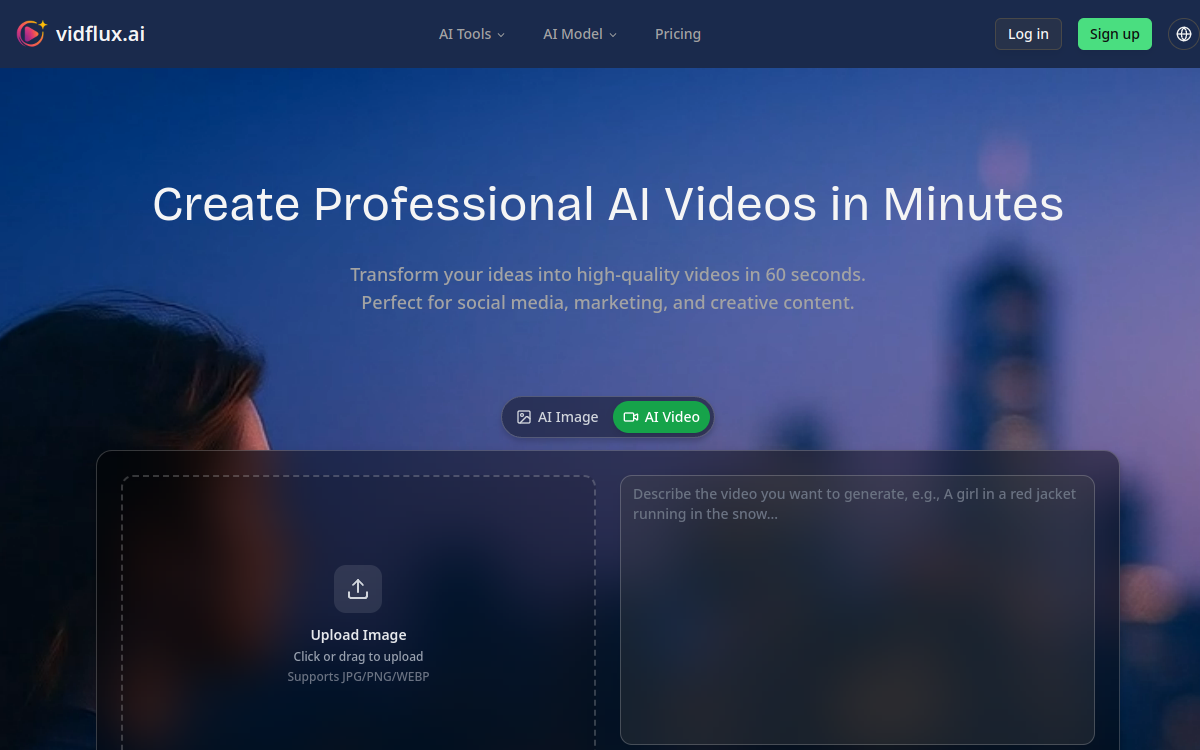
VidFlux AI is a video generation platform that transforms text, images or videos into MP4 clips in ~1 minute. It centralizes premium models (Veo, Sora, Kling, Wan, etc.) to create social media, marketing or creative content without complex editing. Flow by credits, choice of assets, formats and renders, with pro options (HD/4K, watermark, commercial use) depending on the plan.
What is VidFlux AI?
The essentials
VidFlux AI is an artificial intelligence video generation platform. It allows you to produce clips from a text prompt (text-to-video), an image (image-to-video) or a reference video (video-to-video) to animate a character or reproduce movements. The service centralizes multiple video generation models and offers a single interface to select a render, a format (for example vertical or horizontal) and launch generation. The tool is mainly aimed at fast content needs: social networks, marketing, product demonstrations, creative experiments. Rather than replacing advanced editing software, VidFlux AI serves as a production engine: you generate a convincing video base, then adjust the text, style or model to get a variation closer to your goal. It’s therefore a tool oriented towards iteration and volume.
Key features
VidFlux AI combines several video creation building blocks. First, text-to-video: you describe a scene (subject, action, atmosphere, style), then the platform generates a short clip. Next, image-to-video: from a photo, the AI creates an animated sequence, useful for bringing a product visual, illustration or portrait to life. The video-to-video mode is used to transfer movements or animate a character by relying on a reference video. VidFlux AI also highlights “trending” effects to produce transformations ready for TikTok/Reels (style effects, specific scenes, visual variations), making it easier to create viral content from scratch. On the production side, there are options geared towards professionals depending on the offers: watermark removal, commercial usage rights, priority processing queues, as well as format and duration settings. Finally, the credit-based logic makes consumption more transparent: each generation costs a certain number of credits, which helps manage spending based on volume.
Use cases
For content creators, VidFlux AI allows you to quickly produce Reels, Shorts or TikToks by testing multiple scripts and styles without heavy editing. For marketing, the tool is useful for declining a campaign: variations of hooks, different atmosphere, A/B product versions, teasers and event announcements. In e-commerce, image-to-video helps transform a product shot into a more engaging mini-demo, or create animated visuals for a product page and ads. Communication teams can generate internal clips (announcements, onboarding, short messages) with a consistent visual identity, then assemble everything in a final edit. Trainers and course creators can illustrate a concept with a short explanatory scene, or produce micro-learning sequences. Finally, social media agencies save time on “volume” production: hooks, variations of creative work, trend tests, then selection of the best clips for paid amplification.
Advantages
The main benefit of VidFlux AI is speed: going from an idea to a video render in about a minute greatly reduces the cost of iteration. The second advantage is centralization: instead of juggling between multiple tools and models, you compare renders from a single interface. This promotes creative testing, particularly useful in paid acquisition and social media. The credit-based logic provides simple budget management: you know how many generations you can produce, and you adjust your pace. For professional uses, the presence of options like no watermark and commercial rights avoids blocks when publishing. Finally, VidFlux AI is interesting for democratizing video: non-technical profiles (marketing, community management, e-commerce) can generate usable clips without mastering advanced editing software, then gradually refine their prompts to gain quality.
Pricing
VidFlux AI offers a subscription and credit approach. Monthly plans start around $9/month and include a volume of credits allowing you to generate a certain number of videos, with a cost per generation that depends on the chosen model, duration and options. Higher-tier offers increase monthly credits and add benefits like support priority or faster processing. The platform also highlights credit packs (pay-as-you-go) for one-off needs. A trial or free generation option may exist depending on periods and login conditions. To choose, start with your actual volume: if you publish daily, a subscription is simpler; if you generate in waves, pay-as-you-go credits may suffice.
Conclusion
VidFlux AI is a solid choice for producing short videos quickly, especially if your priority is to test concepts, hooks and styles at high speed. The platform stands out for centralizing multiple models and an approach oriented towards “generation + iteration” rather than complex editing. For creators, marketing teams and e-commerce businesses, it’s a real time saver for feeding social networks and campaigns. However, keep in mind that quality varies depending on the model and the precision of the prompt: you have to accept experimenting. If your main need is fine control of a multi-track edit, VidFlux AI will be more of a production engine to combine with an editing tool. For fast and high-performing content, it does the job very well.