



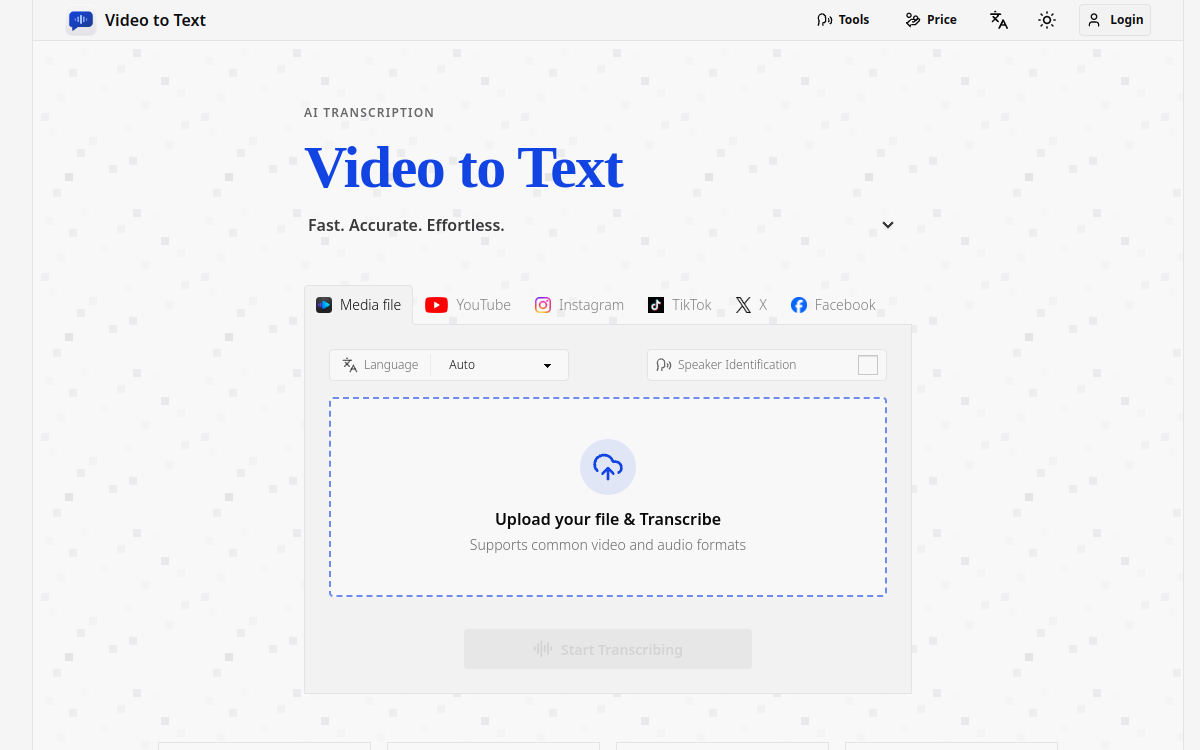
video to text is an ai-powered transcription service that converts video and audio files, as well as video links, into clean, exportable text. the product is designed for creators, teams, and individuals who need fast, accurate speech-to-text conversion without setting up their own transcription pipeline.
the app combines a simple upload flow with automated processing, speaker-aware transcription, and flexible export options. in addition to uploading files, users can paste a video link from YouTube, Instagram, TikTok, Facebook, or X (Twitter) and get it transcribed without downloading the video first. users can upload media or paste a link, wait for the transcription to finish, and then download the result in the format that best fits their workflow.
What is Video to Text?
The essentials
The core job of Video to Text is to turn uploaded media or video links into structured transcript output. after a file is uploaded or a video link is pasted, the system sends it through an AI transcription pipeline and returns the result in readable, reusable formats.
Key features
High-quality transcription
Video to Text uses Ai to provide high-accuracy speech recognition. The service is suitable for long-form content and practical transcription use cases such as interviews, meetings, lectures, webinars, and recorded videos.
Multi-language support
The product supports 99 languages, including English, Spanish, Portuguese, French, German, Italian, Chinese, and Japanese. It also supports automatic language detection, which reduces setup friction for users who work with mixed or unknown-language media.
Multi-language content handling
If a single media file contains multiple languages, the transcription pipeline is designed to recognize them more effectively than a single-language workflow. This is useful for international interviews, multilingual conferences, and creator content with code-switching.
Speaker diarization
Speaker diarization is supported, allowing the transcript to distinguish between different speakers and label them accordingly. This is especially valuable for meetings, panel discussions, podcasts, and interviews where speaker attribution matters.
Timestamped output
The transcript can include timestamps, which is important for subtitle generation, editing, and search-driven workflows. Timestamped exports make it easier to align text with the original audio or video.
Flexible import and export
The product supports both file uploads and video links from YouTube, Instagram, TikTok, Facebook, and X (Twitter) on input, and multiple text-based formats on output. This gives users a simple path from raw media or a shared link to caption files, plain text, or spreadsheet-friendly records.
Use cases
1. Content creators who need subtitles for videos
2. Knowledge workers who want meeting notes
3. Journalists transcribing interview recordings
4. Students turning lectures into study notes
5. Teachers transcribing educational videos
6. Language learners practicing listening and speaking
7. social media creators turning reels, tiktoks, and shorts into captions and repurposed content
8. teams transcribing videos shared as links without downloading files
Advantages
– fast upload or link-based transcription flow
– Clear export options
– Broad language support
– Speaker-aware transcripts
– No need to build or maintain transcription infrastructure
Pricing
1. Lite: $9.9 / 200 credits
2. Pro: $19.9 / 600 credits
3. Ultra: $99 / 6000 credits
Conclusion
The product is built for a low-friction experience, so users do not need to manage manual transcription settings unless they want to.