


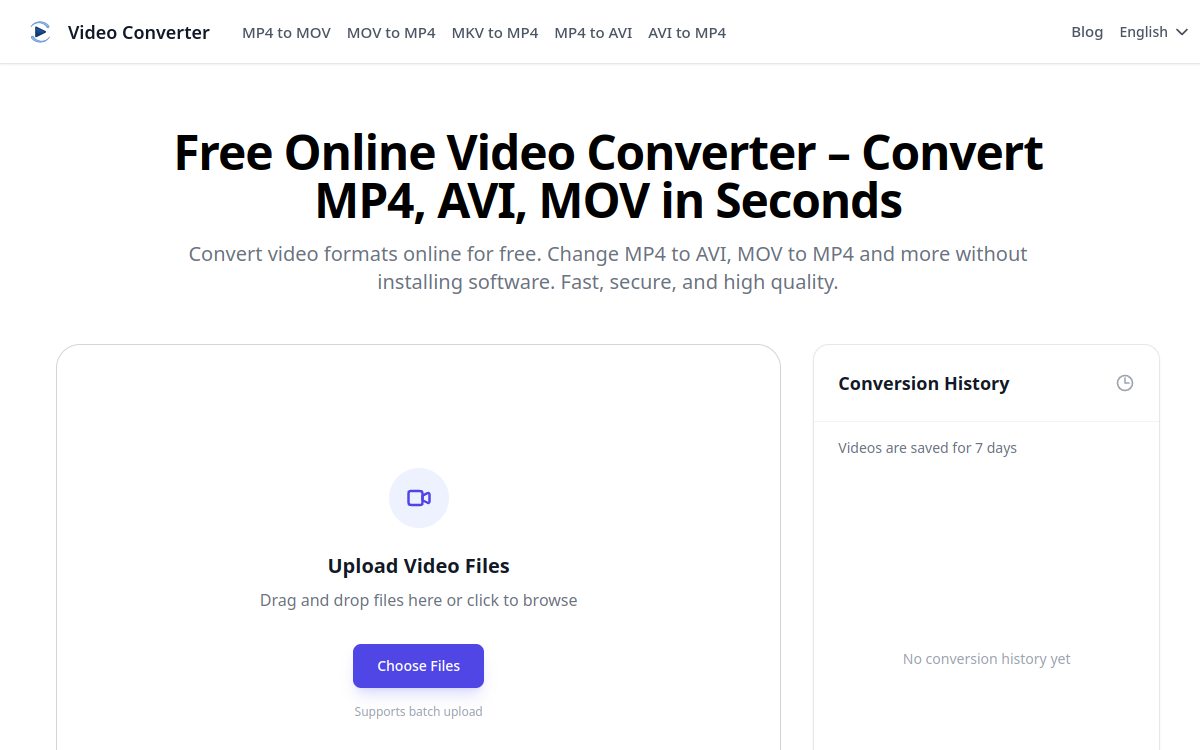
Video Converter is a free web tool that quickly transforms your videos from one format to another — MP4, AVI, MOV, MKV, WebM — directly from your browser. The service emphasizes conversion speed, preservation of original quality and file privacy. Designed for users who need one-time conversion without installing heavy software, it supports batch upload and keeps videos for 7 days to allow multiple downloads. A lightweight no-code alternative for students, creators and professionals of all levels.
What is Video Converter?
The essentials
Video Converter is a free web service dedicated to converting video files online. The user arrives at the home page, drops their video file into the drop zone, selects the desired output format and starts the conversion. The result is downloadable in seconds or minutes depending on file size. The service supports major consumer formats: MP4, AVI, MOV, MKV, WebM. The platform emphasizes three promises: fast processing thanks to cloud computing, preservation of original quality and privacy with automatic deletion after 7 days. The product is intentionally positioned on the niche of free utility tools, with a minimalist experience comparable to online image editing services.
Key features
Video Converter’s flagship module is its intuitive drop zone that accepts individual files or batch upload to process multiple videos in parallel. Once the file is uploaded, the user selects the target format and desired quality, then starts the conversion. The service offers standard conversions like MP4 to AVI, MOV to MP4, MKV to MP4 or AVI to MP4, as well as reverse directions for most formats. File retention for 7 days allows re-downloading a conversion without starting over, appreciated by users juggling multiple devices. The service highlights fast cloud processing capable of handling medium-sized files without noticeable delay. Compatibility covers major modern browsers (Chrome, Edge, Safari, Firefox) on desktop and smartphone, guaranteeing near-universal access. On the interface side, the design stays streamlined, with focus on the upload button and a conversion history accessible during the active session.
Use cases
Video Converter addresses several profiles. Students use it to adapt a project video to the format required by their instructor or submission platform. Independents find a quick solution for delivering videos in multiple formats to their clients without resorting to professional software. YouTube and TikTok creators use it to convert MOV files exported from their Mac to more universal MP4. Internal communication managers in SMEs exploit it to adapt company videos to formats imposed by their internal tools. Teachers use the service to make course videos compatible with school platforms. Private individuals, finally, see it as a practical tool for preparing personal videos before sharing them via WhatsApp, Telegram or offline viewing media.
Advantages
The main benefit of Video Converter is simplicity. No software to install, no account to create, just a web page that does its job. The second benefit is free: the service doesn’t charge the user for standard conversions, making it particularly suited to one-time uses. The third benefit is speed, with cloud processing capable of delivering a result in seconds for small files. The fourth benefit is 7-day retention, which avoids painful re-downloads. Put together, these advantages make Video Converter an excellent utility service to keep bookmarked for emergency video conversions.
Pricing
Video Converter is completely free for standard uses. No subscription or account creation is imposed. The publisher doesn’t publicly communicate about paid plans or enterprise versions, suggesting an economic model based on advertising or future premium features. For very high-volume uses or automated conversions via API, the user will need to consider alternatives like CloudConvert or desktop tools. For one-time or moderate-volume conversion, the service is very generous and delivers on its free promise.
Conclusion
Video Converter embodies a category of utility tools you appreciate when you need them. Its simplicity, free service and efficiency make it an excellent companion for one-time video conversions, whether you’re a student, freelancer or individual. For more advanced uses — editing, pro codecs, API automation — you’ll need to turn to specialized solutions, but as a consumer conversion tool, Video Converter clearly deserves a place in your bookmarks.