



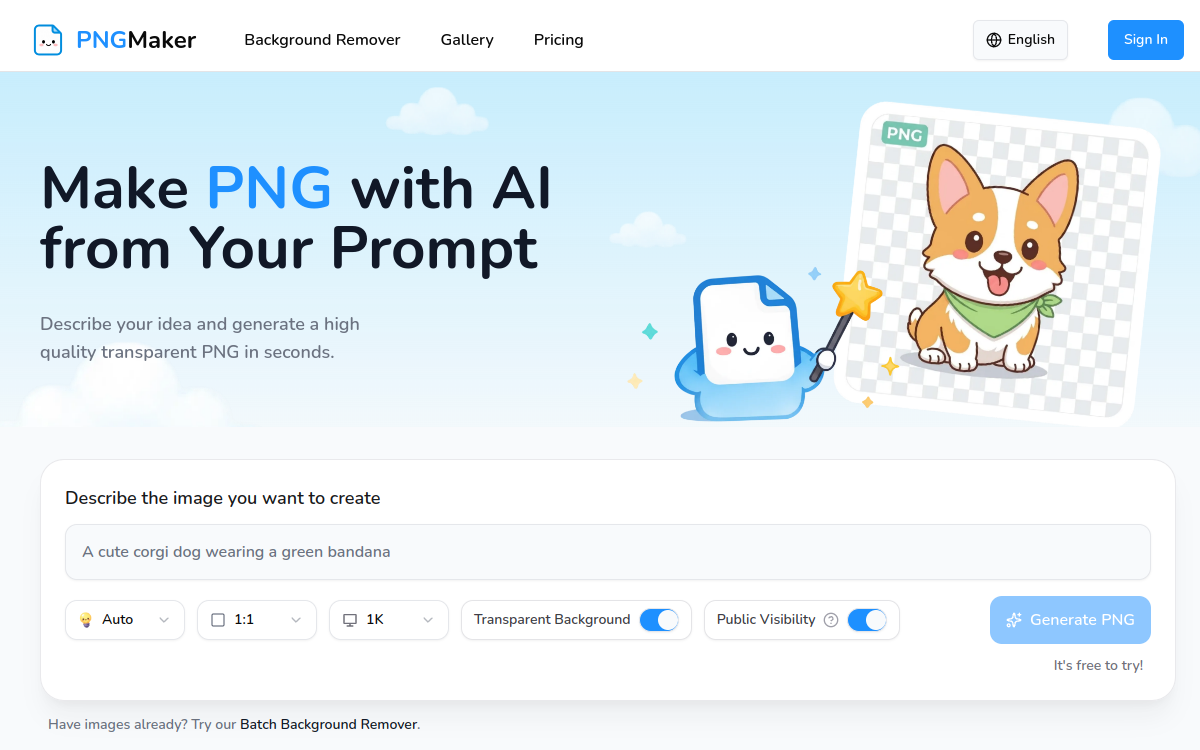
Finding an image with a transparent background when you are not a designer is often an obstacle course: you have to generate a visual, import it into editing software, manually remove the background, and then export it in the right format. PNGMaker proposes to bypass all these steps by directly generating background-removed PNG files from a simple text description. The tool is aimed at a wide audience: YouTube creators, online sellers, independent developers, interface designers, or game creators who need quick, clean, and reusable visuals. The core idea can be summed up in one sentence: you write what you want to see, choose a style, and get a ready-to-integrate PNG for a website, video, or store. In this overview, we detail what PNGMaker actually does, its features, use cases, advantages, and pricing model, to help you understand who it is really for and in which situations it saves time.
What is PNGMaker?
The essentials
PNGMaker is an artificial intelligence image generator whose main feature is producing PNG files with a transparent background, without going through a background removal step. While most image generators create visuals on a solid background that must then be cleaned up, PNGMaker directly isolates the subject. The user enters a description in natural language, selects a style and output parameters, and then the AI returns an image that can be used as is. The product therefore positions its value not on photorealistic diversity, but on the rapid production of background-removed graphic assets, designed to be layered over other content. It is a specialized tool that meets a recurring production need in content creation and web design.
Key features
PNGMaker relies on a few well-defined features. The first is the generation of transparent background PNGs right out of the box, which avoids any masking or erasing work. The tool offers four distinct styles: Kawaii for cute visuals, 3D Cartoon for a 3D effect, flat illustration for a clean graphic style, and pixel art for a retro aesthetic. In terms of format, several aspect ratios are available (1:1, 4:3, 3:4, 16:9, 9:16), covering both square social media uses and horizontal or vertical formats for mobile. The resolution can be chosen from three levels: 1K, 2K, and 4K, the latter ensuring sharp images for printing or high-definition screens. A visibility setting allows you to keep your generations public or private. Finally, the developer specifies that it is not necessary to explicitly mention transparency in the prompt: the system handles it automatically. The whole process forms a simple three-step workflow: write, generate, download.
Use cases
The use cases for PNGMaker stem directly from its specialty. A YouTube creator can generate stickers, overlay elements, or partial thumbnails to layer onto their videos. An e-commerce seller can produce product illustrations or background-removed decorative elements for their product pages and banners. Interface designers find it a quick source of icons or illustrations to integrate into a mockup without relying on an image library. Indie game developers can prototype sprites or graphic elements in a pixel art or cartoon style. Finally, influencers and community managers can generate visuals for their social media posts adapted to each format. In all these cases, the absence of a background removal step and the speed make the difference.
Advantages
The main benefit of PNGMaker is the time saved: it completely eliminates the background cleanup step, which is often the most time-consuming part of preparing a visual. The second advantage is accessibility: no editing software skills are required, a simple description is enough. Next comes the flexibility of the outputs, with aspect ratios and resolutions adapted to multiple mediums. The commercial use authorization on all generated images also removes a common uncertainty for professionals and freelancers. Finally, the daily free credit system allows users to test the tool and cover occasional needs without commitment, which lowers the barrier to entry.
Pricing
PNGMaker operates on a credit model. The free version offers 10 credits per day, obtained by logging in daily, which is sufficient for testing or very light use. Three paid plans extend these capabilities. The Starter plan costs $23.90 per month on subscription (or $29.90 as pay-as-you-go) for 1,200 credits, which is up to 200 generations. The Standard plan goes up to $39.90 per month for 2,600 credits and about 433 generations, with priority support. Finally, the Premium plan is priced at $63.90 per month for 4,500 credits, up to 750 generations, priority support, and a priority generation queue. Prices are in dollars and credits are valid for one month.
Conclusion
PNGMaker is a deliberately specialized tool that performs a specific task well: producing transparent background PNG images from text, without background removal or editing software. For content creators, online sellers, designers, and game developers who need regular background-removed assets in cartoon or illustrative styles, it represents a real time-saver, reinforced by commercial use authorization and daily free credits. It does not replace a full-fledged image editor or a photorealistic generator, but that is not its purpose. For a fast production workflow of background-removed visuals, it is an effective and easy-to-use option.