


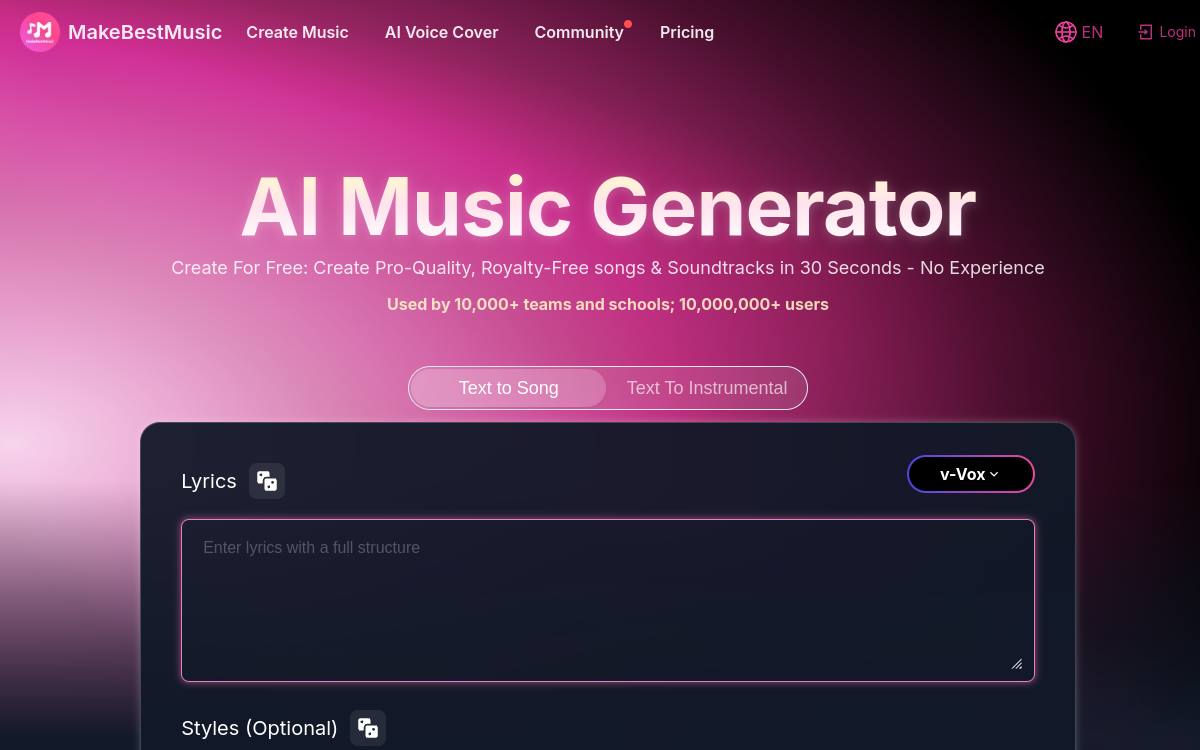
MakeBestMusic is an AI music generator that transforms a prompt (mood, genre, tempo) or lyrics into ready-to-use tracks. The tool targets creators who need music quickly for videos, podcasts or social content, with audio exports and functions to adjust the output. Use it as a creative tool: it speeds up production, without replacing real professional mixing.
What is MakeBestMusic?
The essentials
MakeBestMusic is an AI music generator based on artificial intelligence. Its principle: transform a text description (or lyrics) into an audio track. The user specifies a style, an atmosphere, an energy level, sometimes instrument or structure hints, and the platform produces a matching track.The tool positions itself as a simplified production suite: it doesn’t try to replace a full DAW, but to quickly provide tracks ready to be used in an edit or serve as a creative base. This logic is particularly useful for non-musicians and marketing/content teams who need music quickly.Most features are based on a credit system, with paid plans to increase generation capacity and export options. For regular use, the key question is the balance between quality achieved, production speed and cost per generation.
Key features
MakeBestMusic offers text-centered music generation: you describe what you want (genre, mood, tempo, atmosphere), then you get an audio output. The platform emphasizes iteration: produce multiple versions, compare, and gradually refine the prompt until you get a satisfying track.The tool typically offers multiple creation modes to suit different profiles. A “simple” mode aims for quick one-click generation, useful for testing ideas or finding an atmosphere. A more advanced mode allows more control over output and adjustment of creative parameters.On the usage side, MakeBestMusic highlights quality audio exports and practical features for creators (for example tools related to editing or separation depending on plans). The goal is to facilitate integration into a video editing, podcasting or social content creation workflow.Finally, credit-based pricing allows you to control consumption: free plan to test, paid plans to increase generation volume, and higher formula for intensive creators.
Use cases
The primary use case is creating video soundtracks. For a YouTube video, a short or advertisement, MakeBestMusic allows you to quickly generate a track suited to the rhythm and emotion you’re looking for. Second use: podcasting. Intros, outros, transitions or sound design are faster to produce and renew.Third use: creative prototyping. Marketing teams, agencies or creators can test atmospheres, explore styles and validate a sound direction without going through full production from the start. This speeds up the ideation phase.Fourth use: education and personal creation. Users can experiment with genres, learn to formulate effective prompts and understand how creative intent influences the result.In all cases, best practice is to generate multiple versions, select the best one, then finalize in an audio or video tool if necessary (level adjustment, cutting, editing, synchronization).
Advantages
The main benefit is speed. MakeBestMusic drastically reduces the time needed to get music consistent with content. For a creator, it’s an immediate productivity gain: less searching, more testing, and faster go-to-market.Second benefit: accessibility. Even without music skills, it becomes possible to create custom music by simply describing the intent. This approach opens audio creation to marketing, social media, or entrepreneur profiles.Third benefit: variety. Easy iteration facilitates exploration: you test multiple styles, tempos or atmospheres, and choose the best fit. Fourth benefit: integration into a content workflow. With the exports and options offered, generated tracks can be used quickly in editing.Finally, the credit system allows you to control usage: you adapt the plan to your creation frequency, which helps rationalize cost per content.
Pricing
MakeBestMusic operates with a freemium model and credit subscriptions. A free plan allows you to test the platform with a limited number of monthly credits. For regular use, the Basic plan starts around $14.9/month with about 200 monthly credits.The Standard plan is often presented as the most balanced option for active creators, around $29.9/month with about 600 credits. Finally, a Professional formula targets intensive uses, with very high or unlimited credits depending on the offer, at a higher price (around $129.8/month).Differences between plans generally concern generation volume (credits), some advanced features and download limits. Before choosing, estimate your production pace (number of tracks per week) and check licensing conditions if you publish monetized content.
Conclusion
MakeBestMusic is an effective tool for quickly generating music from a prompt or lyrics, particularly suited for content creators. It excels when the priority is to produce fast, iterate on a mood and get an exploitable track for video editing or podcasting.To maximize quality, you need to learn to write good prompts and compare multiple versions before choosing. And like any generation solution, caution applies to commercial use: check the license and conditions associated with the plan.If your workflow depends on regular and varied music, MakeBestMusic can become a real production accelerator. For advanced studio requirements, it will nevertheless remain complementary to professional audio tools.