


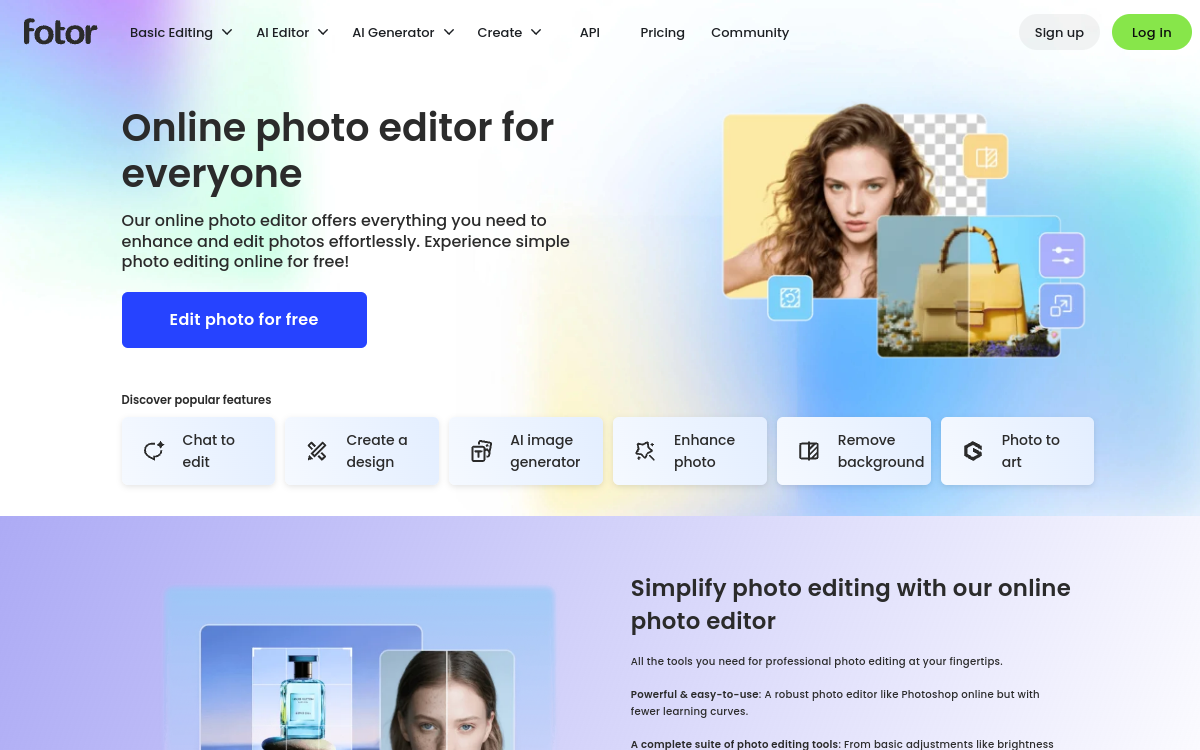
Fotor AI combines image generation, retouching & upscaling, and social media design tools in one simple suite. It lets you create visuals, enhance quality, remove backgrounds, retouch portraits, and produce quick variations for marketing. Designed to work fast without graphic expertise, while maintaining clean and consistent output.
What is Fotor AI?
The essentials
Fotor AI is a suite of image creation and editing that integrates artificial intelligence capabilities to generate, enhance, and retouch visuals. The tool targets broad usage: creation of marketing content, quick retouching, quality enhancement, and production of web-adapted variations.Unlike traditional retouching software, Fotor AI emphasizes assisted actions: remove a background in one click, enhance a compressed image, automatically retouch a portrait, or generate images from text descriptions. Its positioning focuses on efficiency and simplicity, making it relevant for non-expert users, while remaining useful for professionals wanting to save time on repetitive tasks.
Key features
Fotor AI groups several functional blocks. First, text-to-image generation lets you create visuals from a description and produce variants to quickly explore ideas. Next, assisted editing includes retouching tools like background removal, automatic enhancement, unwanted element cleanup, and portrait-specific improvements.Upscaling and quality enhancement are particularly useful for images from captures, old assets, or compressed content: the tool tries to restore sharpness and limit artifacts. On the design side, Fotor offers functions to compose publication-ready visuals (formats, exports, graphic elements), reducing layout time.Finally, the overall strength is the “all-in-one” logic: move from creation to retouching and variation without changing tools, which speeds production and eases iteration.
Use cases
Fotor AI works well for marketing and content needs. For social media, it enables quick visual creation, format adaptation, and generation of multiple variations on the same concept. For e-commerce, the tool is useful for enhancing product photos, removing backgrounds, and producing clean images for product sheets.In communications, it can serve to create banners, blog visuals, simple illustrations, and promotional assets. For freelancers, it helps deliver variations faster and maintain decent quality without lengthy manual retouching.Finally, Fotor AI can also serve in ideation phases: generate exploratory images, test style directions, then refine with retouching and compositions suited to the final medium.
Advantages
The main benefit of Fotor AI is execution speed. The tool reduces time spent on common operations like removing a background, enhancing an image, or producing variations for a campaign. This enables faster publishing and more iteration, a direct advantage for marketing.Second benefit: versatility. A suite combining generation, retouching, upscaling, and composition simplifies workflow and limits dependence on multiple tools. It’s also more accessible for non-designer profiles.Finally, Fotor AI supports operational consistency: with adapted formats and exports, teams can standardize part of their visual production. The limit remains artistic consistency on very demanding styles, but for most web and social media needs, time savings are real.
Pricing
Fotor AI generally operates on a freemium model: a free version lets you test features, with limits (export, credits, advanced options). Pro subscriptions unlock additional capabilities, better export experience, and more intensive uses.Plan choice depends on your production volume. For occasional use, the free version or trial often suffices. For a marketing team or creator producing visuals weekly, a subscription quickly pays for itself through time saved on retouching and variations.Before subscribing, it’s recommended to test your actual use cases: background removal, upscaling quality, and rendering of generated visuals on your topics.
Conclusion
Fotor AI is a relevant tool if your priority is quickly producing usable visuals for web, social media, and marketing supports. Its all-in-one logic, combining image generation and assisted retouching, makes it an effective option for freelancers, SMEs, and content teams.It excels at speed and simplicity, with practical features like background removal, portrait retouching, and quality enhancement. For very advanced artistic needs or extremely constrained styles, specialized tools will offer more control. But for daily creation focused on performance, Fotor AI remains a solid value.