



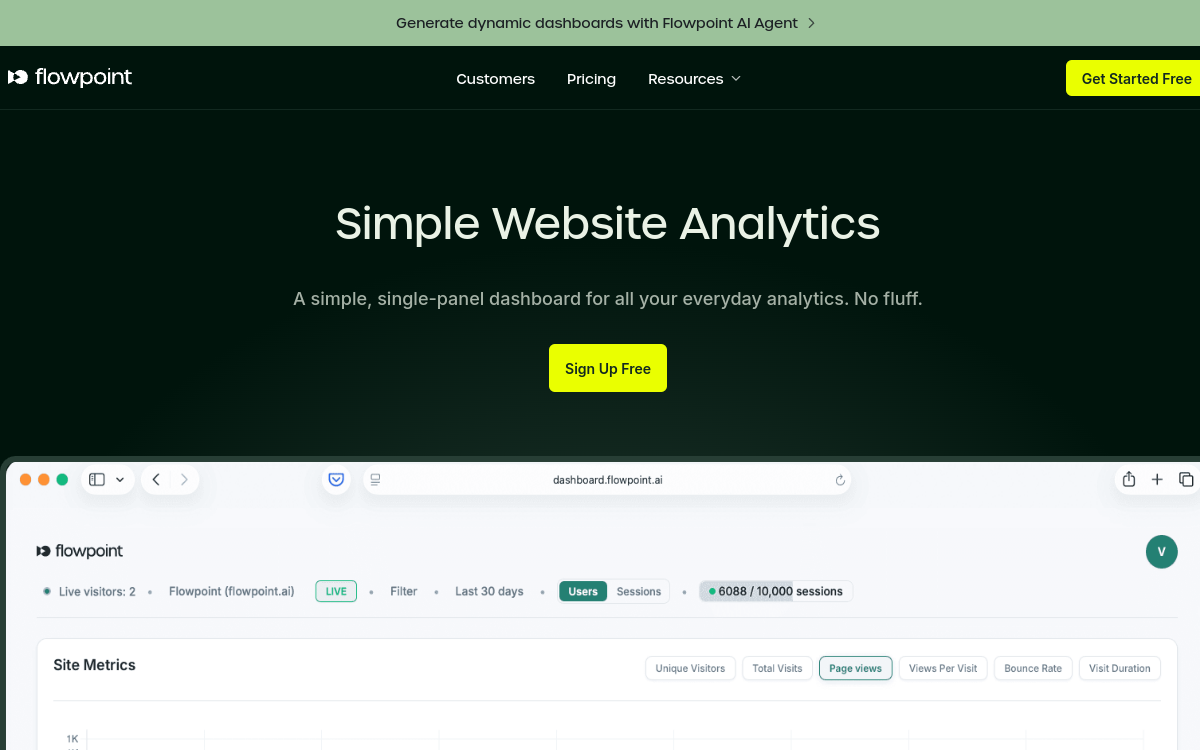
Web audience analysis tools tend to pile up features to the point of discouraging anyone who simply wants to know where their traffic comes from and what it delivers. Flowpoint takes the opposite approach by offering a single, deliberately stripped-down dashboard that brings together the essential indicators. Its promise is straightforward: no clutter, just the data that helps drive return on investment. For a busy marketer or a small team without an analyst, this approach is a game changer, because it replaces an intimidating platform with a clear and immediate view. This article reviews what Flowpoint actually measures, its features, use cases and pricing, so you can place this tool in the analytics landscape.
What is Flowpoint?
The essentials
Flowpoint is a web audience analysis solution designed for clarity. Its value proposition boils down to one formula: a simple, single-panel dashboard for all your daily statistics. Where other tools multiply menus and reports, Flowpoint concentrates useful information on a single screen. It addresses marketers and site managers who want to understand their traffic without having to learn a complex suite. Its focus is explicitly on ROI: it highlights data that helps you decide, such as traffic sources, top-performing pages and conversions, rather than drowning the user in secondary metrics.
Key features
Flowpoint brings together several analytics components on a single panel. Tracking of sources and main pages shows where visitors come from and which content works. Event tracking records key actions performed on the site. Funnels allow you to measure conversions step by step, which helps identify friction points. A geographic view breaks down the audience by country, region and city. Sessions provide a detailed journal of interactions, and an event timeline presents actions in chronological order, useful for understanding a user journey. The most modern element is an AI agent capable of generating dynamic dashboards based on questions asked, bringing analysis closer to conversation than manual configuration. Altogether, it’s a compact tool that covers common needs: understanding traffic, tracking conversions and locating your audience, without the heaviness of the most complete platforms.
Use cases
Flowpoint’s use cases match frequent, concrete needs. A startup founder tracks conversions to verify that a sign-up page converts properly. A marketer identifies the most profitable traffic sources to direct their efforts. A small team without a dedicated analyst keeps an eye on site activity without investing in heavy training. A content manager spots pages that perform well and those that fall flat. Thanks to the AI agent, any team member can ask a question and get a tailored view without mastering a technical interface. These scenarios share the same logic: get a quick, actionable answer rather than sift through dozens of reports.
Advantages
The main benefit of Flowpoint is clarity: concentrating the essentials on a single dashboard reduces time spent hunting for information. This simplicity lowers the barrier to entry, making analytics accessible to non-specialist profiles. The ROI focus helps you concentrate on what matters—conversions and profitable sources—rather than vanity metrics. The AI agent adds another layer of accessibility by turning a question into a dashboard. Finally, affordable pricing and a free trial limit risk for small organizations. These strengths make Flowpoint a pragmatic option for anyone who wants to manage their site without the complexity or cost of the most advanced analytics suites.
Pricing
Flowpoint offers a seven-day free trial including 1,000 sessions, unlimited funnels and unlimited team members, so you can evaluate the tool with no commitment. Next comes the Premium plan, starting from $5 per month on annual billing, which starts at around 10,000 monthly sessions, with unlimited funnels and members. An Enterprise plan, available by quote, adds on-site deployment, a dedicated account manager and volume discounts. Sessions reset each month and don’t carry over: once the limit is reached, data collection stops until renewal or an upgrade. This quota-based approach invites you to choose a plan that matches your site’s actual traffic volume.
Conclusion
Flowpoint holds a useful place in the analytics landscape: that of the simple, clear and affordable tool, against bloated suites. By bringing together the essentials on a single dashboard and adding an AI agent, it makes analytics accessible to marketers and small teams. Its limitations—lower depth, capped sessions and data collection interrupted at quota—reserve it for modest-sized sites rather than large accounts. But for tracking the essentials and optimizing conversions without overcomplicating things, it delivers on its promise.