



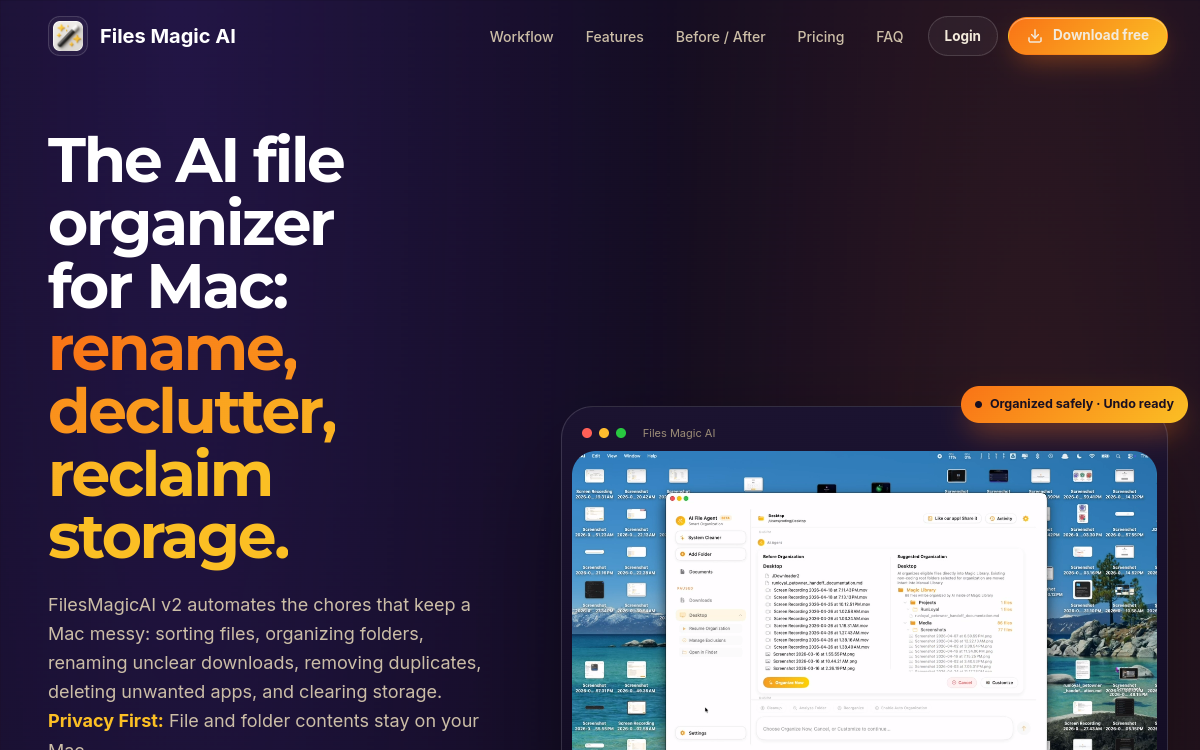
Mac users quickly accumulate hundreds of gigabytes of files: documents, photos, screenshots, exports, archives. Finding the right file becomes a real challenge and the hard drive fills up without you noticing. Files Magic AI, developed by 1dot.ai, offers a modern approach to this classic problem. Rather than sending your files to the cloud, the app uses a local AI to understand your files, suggest clearer names and structure your file tree. This privacy-first approach is rare in the AI landscape and meets a strong expectation from freelancers, creatives and privacy-conscious users. The tool does more than rename: it also cleans up useless caches, identifies duplicates and frees up disk space, making it a complete maintenance companion for a well-kept Mac.
What is Files Magic AI?
The essentials
Files Magic AI is a native macOS file organization and maintenance app. It uses a local AI to analyze the names and metadata of your files, propose a more readable structure and intelligently rename poorly classified items. The Magic Library offers automatic classification while the Manual Library preserves the folders you intentionally created. The app also includes advanced cleanup features to free up space.
Key features
Files Magic AI offers a set of complementary features. The Magic Rename feature uses local AI to generate contextual names that truly describe a file’s content from its name and metadata. The Magic Library system groups files according to a logical structure, without destroying your existing folders. The Manual Library protects the hierarchies you intentionally created. The Recents view keeps visibility on recently modified files for quick accessibility. The cleanup module identifies duplicates, Xcode, Flutter or Gradle caches, forgotten node_modules directories, DMG files and unused applications. All this is gathered in a smooth and private interface. The publisher guarantees that file contents are never read or sent to its servers; only the name is used to structure the library.
Use cases
Files Magic AI targets several profiles. A photographer manages thousands of RAW files and organizes them quickly by session or project. A developer frees up dozens of gigabytes by deleting Xcode, Flutter caches or obsolete node_modules. A freelance designer tidies up client deliverables accumulated over projects. A student or teacher organizes their courses, readings and notes. A consultant easily finds old presentations and reports thanks to the rethought names. The diversity of cases shows the tool’s versatility, addressing anyone who manages many files on their Mac.
Advantages
Files Magic AI brings several concrete benefits. First: a significant time saving in finding files, thanks to clearer names and a logical structure. Second: disk space savings thanks to the cleanup features, avoiding having to invest in an external drive or additional cloud storage. Third: the peace of mind offered by the privacy-first approach, particularly appreciated by freelancers handling sensitive client data. Fourth: the durability of manual folders, which reassures users who have already invested time in their organization. Finally, the comfort of a native macOS app is a real plus for Apple users.
Pricing
Files Magic AI offers a free 15-day trial with no limitations. After this period, the publisher offers a one-time purchase to keep the application, avoiding recurring subscriptions often seen as constraining. This pricing policy is consistent with 1dot.ai’s privacy-first spirit and fits a logic of a useful long-term tool. The exact price may vary depending on promotions and bundles offered by the publisher.
Conclusion
Files Magic AI is a remarkable tool for Mac users who want to regain control of their files while preserving their privacy. Its combination of smart renaming, automatic organization and cleanup makes it an ideal companion for freelancers, creatives and demanding users. Worth trying risk-free thanks to the free 15-day trial.