


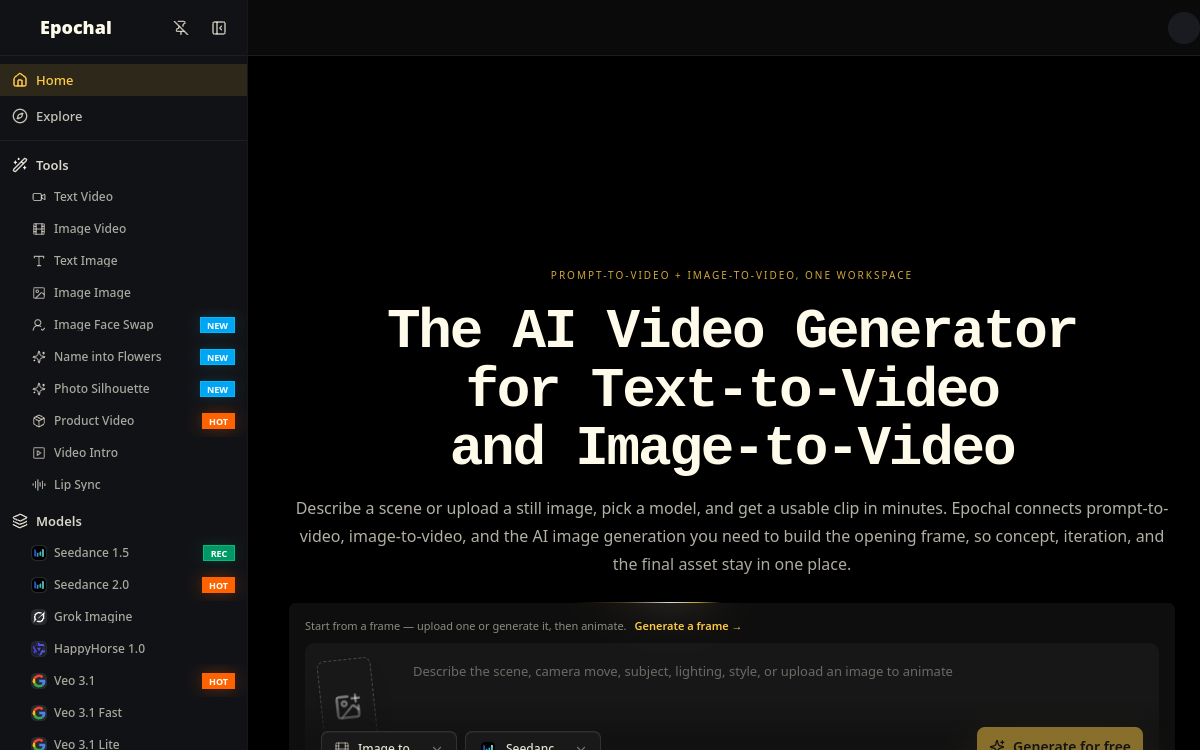
Generating a video from a simple sentence or image has become one of the most sought-after uses of creative artificial intelligence. The problem is that the best video models are scattered: Veo at Google, Sora at OpenAI, Kling, Runway, and many others, each with its own interface and subscription. Epochal offers a simple answer to this puzzle: bringing these engines together in a single workspace. You describe a scene, choose a model, and get a usable clip in minutes. The tool covers three complementary creation paths: text-to-video, image-to-video, and image generation. This versatility makes it a convenient hub for creators who want to quickly test multiple approaches without multiplying accounts. In this article, we detail what Epochal is, its concrete features, use cases, advantages, pricing, and our conclusion, relying solely on what is observable on the official website.
What is Epochal?
The essentials
Epochal is an online AI video generator that combines, in a single interface, the creation of videos from text, the transformation of images into videos, and image generation. Its particularity lies in the aggregation of several cutting-edge models: Veo 3.1 from Google, Kling 3.0, Wan 2.7, Hailuo 2.3, Sora 2 Pro from OpenAI, Grok Imagine, and Runway. Each has its strengths, whether cinematic motion, native audio, 1080p generation, or multi-scene sequencing. Rather than subscribing to each service separately, the user switches from one model to another depending on the desired output. The tool also emphasizes iteration: you can save, compare your outputs, and reuse frames or clips as references for subsequent generations.
Key features
Epochal is organized around three creation paths. Text-to-video allows you to describe a scene in natural language and transform it into an animated clip. Image-to-video starts from a fixed image, imported or generated by AI, and animates it into video. Image generation, finally, produces visuals that can then serve as a starting point. Model selection is central: depending on the need, you opt for Veo 3.1 and its native audio, Kling 3.0 for multi-shot storytelling, Wan 2.7 for character consistency, or Sora 2 Pro for multi-scene sequences. The output library allows you to save and compare multiple versions of the same project. Reusing frames and clips as references makes progressive refinement easier. On paid plans, generation becomes private, exports have no watermark, resolution increases, and processing speed accelerates. Multilingual support and commercial use are also mentioned. Overall, it aims for a smooth workflow where you chain ideation, generation, and comparison without changing tools.
Use cases
Several profiles find direct interest in Epochal. Solo creators use it to produce short content at a good pace, quickly testing different styles via available models. Marketing teams and e-commerce players use it to add motion to products, animate visuals, or generate promotional sequences. Creative teams appreciate the iteration workflow: generate multiple variants, compare them side by side, and reuse the best frames as a base. It’s also an ideal testing ground for anyone wanting to concretely evaluate Veo, Kling, Sora, or Runway without committing to a subscription per model. Finally, for short-form ideation, the tool allows you to quickly materialize a visual intent before potential more advanced production work elsewhere.
Advantages
Epochal’s main advantage is aggregation: having multiple recognized AI video generators in a single interface avoids juggling between subscriptions and dashboards. This saves time and facilitates direct comparison of outputs. The iteration logic, with saving, comparison, and reuse of references, encourages progressive work rather than isolated attempts. The free plan, with its 20 credits, lets you get an idea without a credit card. Paid plans bring tangible benefits: watermark removal, higher resolution, private generation, and increased speed. Finally, coverage of three uses—video from text, video from image, and images—makes the tool versatile for varied creative needs.
Pricing
Epochal offers three tiers. The free plan offers 20 one-time credits and up to 6 images, with basic workflows, but videos have watermarks, outputs are public by default, and standard queue during peak hours. The Lite plan, at $8.33/month on annual billing, unlocks 800 monthly credits, up to about 3,192 images and 264 videos, without watermark, with private generation and accelerated speed. The Pro plan, at $25/month (or $299.99/year) and labeled most popular, goes up to 3,000 monthly credits, up to 12,000 images and 996 videos. Payment is handled by Stripe, which accepts major cards and mobile wallets.
Conclusion
Epochal holds a useful place in the AI video landscape: that of an aggregator bringing together Veo, Kling, Sora, Runway, and other engines in a single space, with a workflow designed for iteration. For a solo creator or marketing team wanting to quickly generate clips from text or images, it’s a versatile and reasonably priced solution, whose free plan lets you evaluate relevance before any commitment. It’s not a full video editor, but that’s not its goal. If your priority is producing and comparing AI outputs without multiplying subscriptions, Epochal deserves a try.