



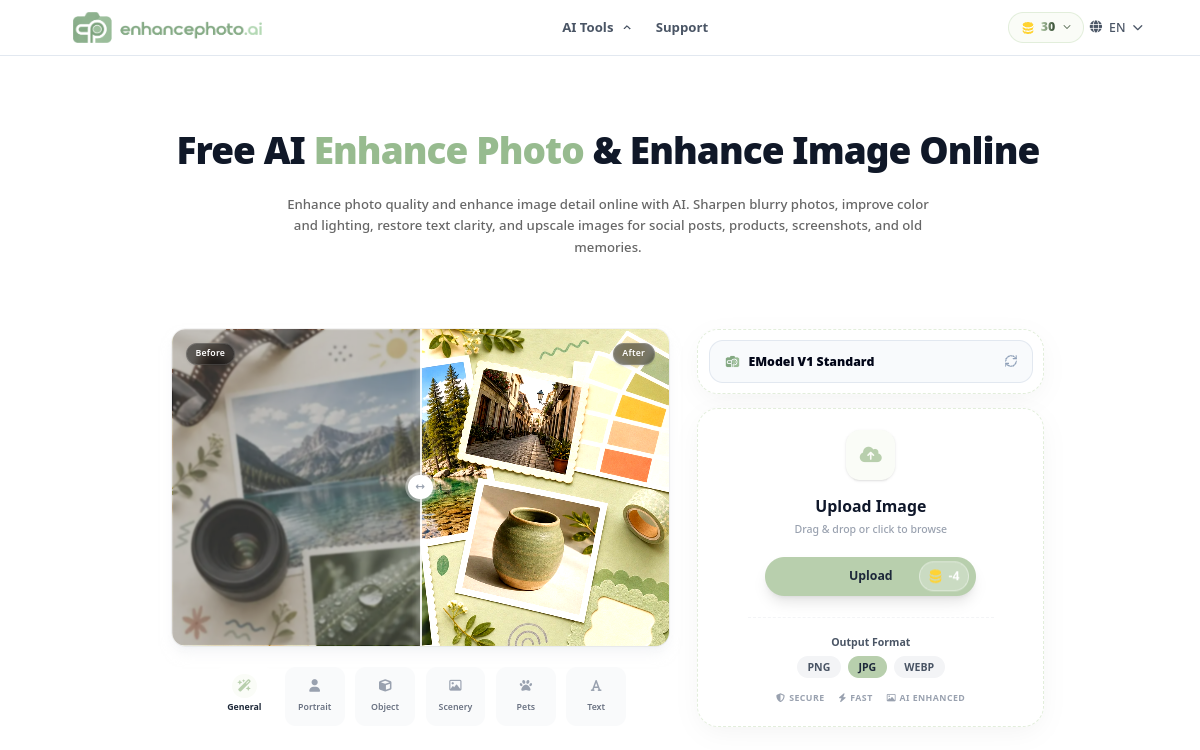
EnhancePhoto.ai is a retouching & upscaling tool that automatically improves image quality: blur reduction, sharpness gain and resolution increase (up to 2K, 4K, 8K and 16K depending on options). It aims for cleaner output without manual retouching, convenient for web, e-commerce or social media visuals. A simple, fast and no-code solution for getting sharper images.
What is EnhancePhoto.ai?
The essentials
EnhancePhoto.ai is an online photo improvement service assisted by artificial intelligence. It focuses on resolution increase (upscaling) and sharpness improvement, to make images more usable in professional contexts. The user uploads an image, selects a target resolution, then retrieves an improved version.This type of tool is particularly useful when you have historical images, visuals retrieved from old sources, photos sent by clients, or content compressed by social platforms. EnhancePhoto.ai then aims to restore sufficient detail level for common use, without complex settings.
Key features
EnhancePhoto.ai offers a three-step workflow: image import, resolution level choice, then automatic processing. The tool highlights several output tiers (for example 2K, 4K, 8K and 16K depending on options) to fit needs: web publishing, social media, printed media or visual reuse in larger format.Beyond simple size increase, the AI seeks to improve sharpness perception and enhance detail. This can include light blur reduction, better edge definition and clearer texture rendering, within what the source image allows.The main strength is simplicity: no installation, no technical parameters to master, and quick result. For marketing, e-commerce or design teams, it’s a tool that easily integrates into a visual production process.
Use cases
The most frequent use case is e-commerce: improving product photos too small for a theme or marketplace, or standardizing visual quality of a catalog. On social media, the tool can help enhance visuals before publishing, especially when sources are compressed.Another common scenario: restore old photos or images from archives, to make them sharper and more pleasant to view. For designers and content creators, EnhancePhoto.ai often serves as “pre-processing”: you upscale and clean, then possibly move to finer retouching if needed.Finally, for agencies, it’s a convenient solution when receiving uneven-quality assets: you save time on upgrade, and deliver correct visuals faster.
Advantages
The first benefit is time savings. Instead of multiplying attempts in retouching software, you get improvement in seconds. The second benefit is accessibility: the tool is designed for non-technical users, without learning curve.Third advantage: resolution flexibility. Being able to choose an output level lets you adapt the result to actual need, without unnecessary over-processing. Finally, for marketing usage, a sharper and cleaner image improves brand quality perception and can influence click-through or conversion rate, especially on product pages.Still, keep a simple rule: the AI improves, but doesn’t “magic” a totally degraded image. Best results come from correct sources, even if slightly small or slightly blurry.
Pricing
EnhancePhoto.ai presents itself as a free online solution for improving photos, with direct browser access. The exact model (usage limits, possible advanced options) may evolve, but the approach remains simplicity-focused: quickly test the tool on an image and retrieve an exploitable result.For professional usage, what matters is checking your real needs: image volume to process, quality requirement, and possible need for batch processing. If you have high volumes or strong constraints, you can complement with more advanced solutions. For occasional or small-scale regular usage, the “online” format is usually sufficient.
Conclusion
EnhancePhoto.ai is an effective solution for quickly improving images: upscaling, sharpness and cleaner output, without installation or complex settings. It works very well for web, e-commerce and social media usage, when the need is to make visuals more readable and more professional.Its limitations are those of AI upscaling: quality depends on source, and the tool doesn’t replace full editing software for advanced retouching. But if your goal is quick, simple and exploitable result, EnhancePhoto.ai is a good tool to add to your toolkit.