


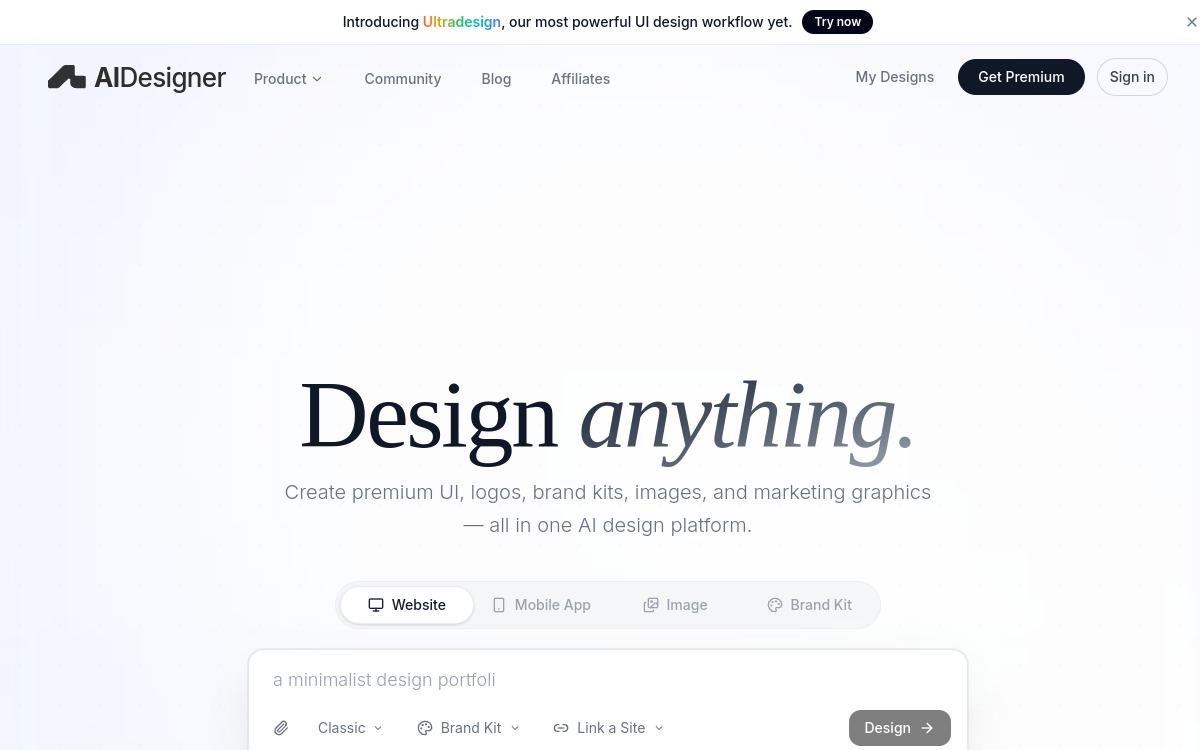
Designing a polished web or mobile interface takes time, an eye for detail, and knowledge of current aesthetic trends. This is precisely where AIDesigner comes in: transforming a prompt into a polished design, without starting from a blank page and without falling into the trap of AI outputs that are recognizable at first glance. The platform is aimed at founders launching a startup, product teams who need to prototype quickly, marketers in charge of landing pages, and developers who want a clean design base before writing code. With over 11,000 users and 30,000 designs created, AIDesigner has positioned itself as a serious player in premium AI design. The promise rests on three pillars: a design agent trained with a demanding visual taste, a contextual memory that maintains your brand consistency, and a library of production-ready templates that allow you to start from a solid base. The tool covers websites, mobile app screens, images, brand kits, logos, ads, and even infographics. For many teams, it is now a credible alternative to save time without sacrificing visual quality.
What is AIDesigner?
The essentials
AIDesigner is an all-in-one AI design platform that generates premium designs from a text description. Launched in 2026 and quickly spotted by the tech community on Product Hunt and Reddit, the platform covers five main areas: web UI, mobile screens, marketing images, brand kits, and clones of existing sites. Its major difference is the visual quality of the outputs, often praised as the most polished on the market today. The tool also features an MCP server that allows coding agents like Claude to rely on AIDesigner to produce interfaces. It is a solution designed for non-designers as well as teams looking to scale their visual production. The value for money is particularly outstanding in practice, with an affordable Pro plan and usable results from the very first iteration. This pricing accessibility makes it a competitive tool against more traditional suites, especially for young organizations.
Key features
AIDesigner offers a complete suite centered on visual creation. The AI UI Designer generates web screens for SaaS dashboards, pricing pages, e-commerce sites, or product pages. The AI Mobile App Designer creates native app screens: onboarding, commerce, finance, health, productivity, booking. The Brand Kit Generator builds complete visual identities with consistent logos, color palettes, and typography. The Website Cloner allows you to use an existing site as inspiration to adapt and customize a new project. The Prototype Generator quickly transforms a concept into a navigable user flow. On the editing side, a visual canvas lets you modify sections, rewrite copy, replace images, and test variations without breaking the overall direction. The applied brand kit remains persistent: colors, typography, logos, and visual references are memorized and automatically reused on each new project. The Pro plan at $25/month includes 100 monthly credits with rollover, unlimited site publishing, custom domain connection, watermark removal, advanced image tools, high-quality exports, unlimited projects, and priority support. Finally, the MCP server connects AIDesigner to AI coding agents, allowing you to quickly transform a design into a developed interface.
Use cases
The use cases cover the entire visual creation chain of a digital project. A startup founder can generate their website mockup, brand kit, and first app screens in just a few hours to validate an idea before investing in a dedicated designer. A product manager uses AIDesigner to produce high-fidelity wireframes to present in meetings, without depending on their design team’s schedule. Marketers create landing pages dedicated to campaigns, with visuals consistent with the brand identity. Agencies save time during discovery phases by quickly offering several visual directions to their clients. Developers appreciate the MCP server to integrate designs directly into their AI agent workflows, drastically reducing the time between design and code. Content creators and indie hackers use the tool to produce social media visuals, ads, and infographics without using complex graphic suites. Even freelancing professionals use AIDesigner to quickly propose variations to their clients during scoping workshops.
Advantages
The main benefit of AIDesigner is eliminating blank page syndrome while ensuring a high-quality output. Where other tools produce designs that are easily recognizable as AI-generated, AIDesigner relies on a curated approach that delivers premium results from the very first generation. Visual consistency across different mediums is another key advantage: the applied brand kit automatically propagates to new projects, saving hours of repetitive setup. Iteration speed is high since you can generate multiple variations in a few minutes and choose the best one for target users. The Pro plan at $25/month remains highly accessible compared to the Adobe suite or a multi-user Figma license with its plugins. Finally, MCP integration with AI coding assistants opens up a new class of workflows for technical teams, where design becomes a raw material directly usable by agents. This combination of quality, speed, and accessibility makes AIDesigner a true product accelerator for modern teams.
Pricing
AIDesigner offers a free plan with limited credits to test the quality of generations. The Pro plan is priced at $25 per month and includes all premium benefits: 100 monthly credits with rollover, unlimited site publishing, custom domain connection, watermark removal, advanced image tools, high-quality exports, unlimited projects, and priority support. Custom plans are available upon request for teams and agencies with higher volume needs. The value for money is highly favorable compared to more traditional suites, especially for indie hackers and small teams that don’t have the resources to hire a full-time designer. The credit system provides the flexibility to upgrade only when volume needs are confirmed, avoiding paying for unused features at launch.
Conclusion
AIDesigner is currently one of the most convincing AI platforms for anyone wanting a premium design without starting from scratch. Its visual quality, brand consistency, and MCP integration make it a relevant tool for founders, product teams, and marketers seeking productivity. At $25/month for the Pro plan, the entry price remains very reasonable compared to the time saved. It is not a replacement for Figma for demanding designers, but it is an excellent starting point and a useful companion for quickly iterating on the first versions of a product. All of this is delivered in an intuitive interface accessible without prior training, broadening the audience capable of designing a visually polished product.