



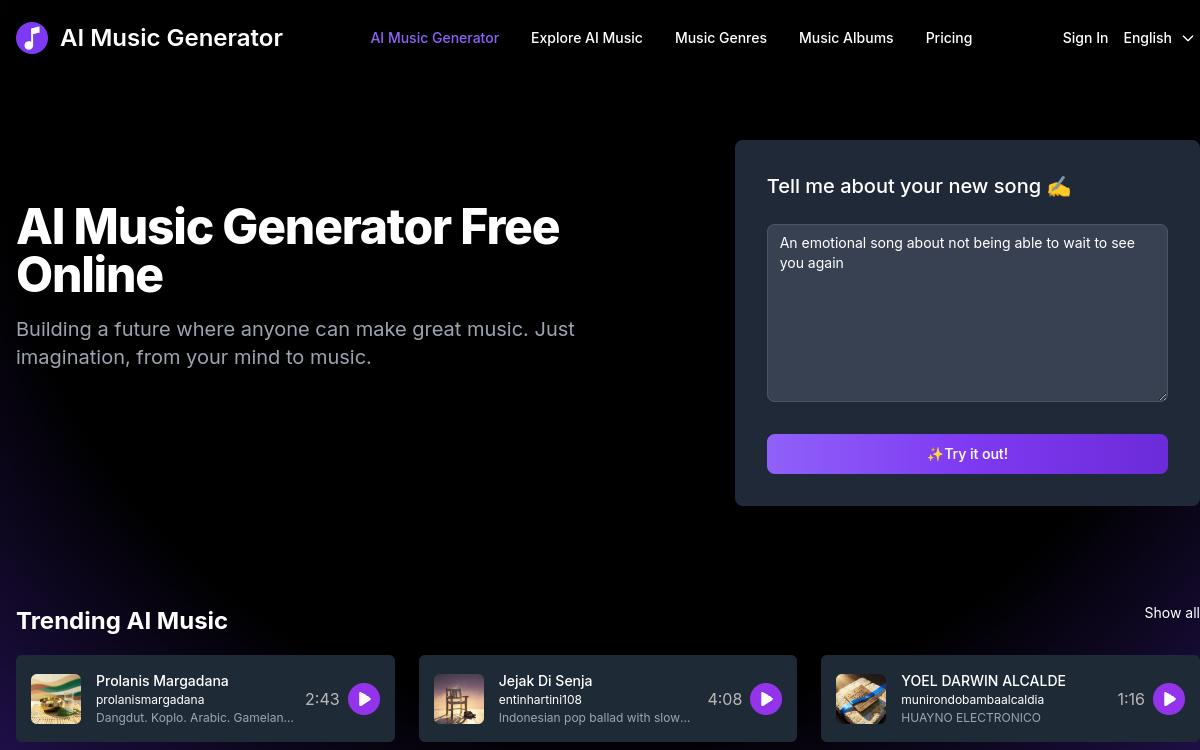
AI-generated music has gone, in just a few years, from a gadget to a credible production tool. For content creators, podcasters, advertisers or amateur musicians, it’s a silent revolution: producing an original, royalty-free song in a few clicks, without going through a composer or a music library. AI Music Generator is one of the many players in this market, but it stands out for a simple approach and an accessible freemium model. In this article, we look at what the platform is worth, its features, its use cases and its limits.
What is AI Music Generator?
The essentials
AI Music Generator is an online platform that turns a text brief into a complete song: vocals, instrumentation, mixing. The user describes the mood, the style, sometimes the lyrics, and the AI produces a track ready to be listened to and exported. The tool offers several export formats (MP3, WAV, MIDI) and complementary features such as vocal/instrumental separation, voice cloning and lyrics editing. The free plan gives access to one or two generations per day, which allows you to test it seriously before subscribing.
Key features
The heart of the experience lies in the complete generation of a track from a simple brief. The user can adjust the length, style, tempo and sometimes the lyrics. Vocal/instrumental separation lets you use only the instrumental track for a background sound or remix the vocals in another context. MIDI export opens up advanced possibilities for musicians who want to take the melody back into a DAW. Voice cloning allows the creation of tracks in the style of an existing voice, a powerful feature but one to handle with care. On the editing side, tools let you modify specific segments, for example to fix a rhyme or change a chorus. The platform covers a wide variety of styles, from lo-fi to pop, electro and hip-hop, making it a true creative Swiss Army knife.
Use cases
The use cases are numerous. A YouTuber can generate intro music or a background track for their videos without having to buy an external license. A podcaster can create their own jingles and transitions to polish their sound identity. A marketing team can quickly produce music for ad campaigns or internal videos. Amateur musicians can explore new styles, generate bases to improvise on or build a library of ideas. Teachers or workshop leaders can illustrate their courses with original music, without risking copyright infringement.
Advantages
The main benefit is the speed of production, at a very low marginal cost. Where a music license sometimes costs several tens of euros per track, AI Music Generator lets you produce several per day from the free plan. The flexibility offered by vocal/instrumental separation and MIDI export extends the value of the generated tracks. The inspiration effect is not negligible either: having a library of ideas at hand helps creators iterate faster and dare new directions.
Pricing
AI Music Generator offers a clear freemium model. A free plan typically allows one to two generations per day, with access to basic exports. The paid plans unlock a larger volume, advanced exports (high-quality WAV, MIDI), access to more styles and voice cloning and editing features. The entry ticket remains competitive against the cost of a traditional music license or a composer.
Conclusion
AI Music Generator is a relevant tool for anyone who needs original music quickly, royalty-free and adaptable. For content creators, marketers and amateur musicians, it’s a useful day-to-day creative companion. Well used, alongside other resources and respecting the ethical framework of voice cloning, it can transform everyday music production.