



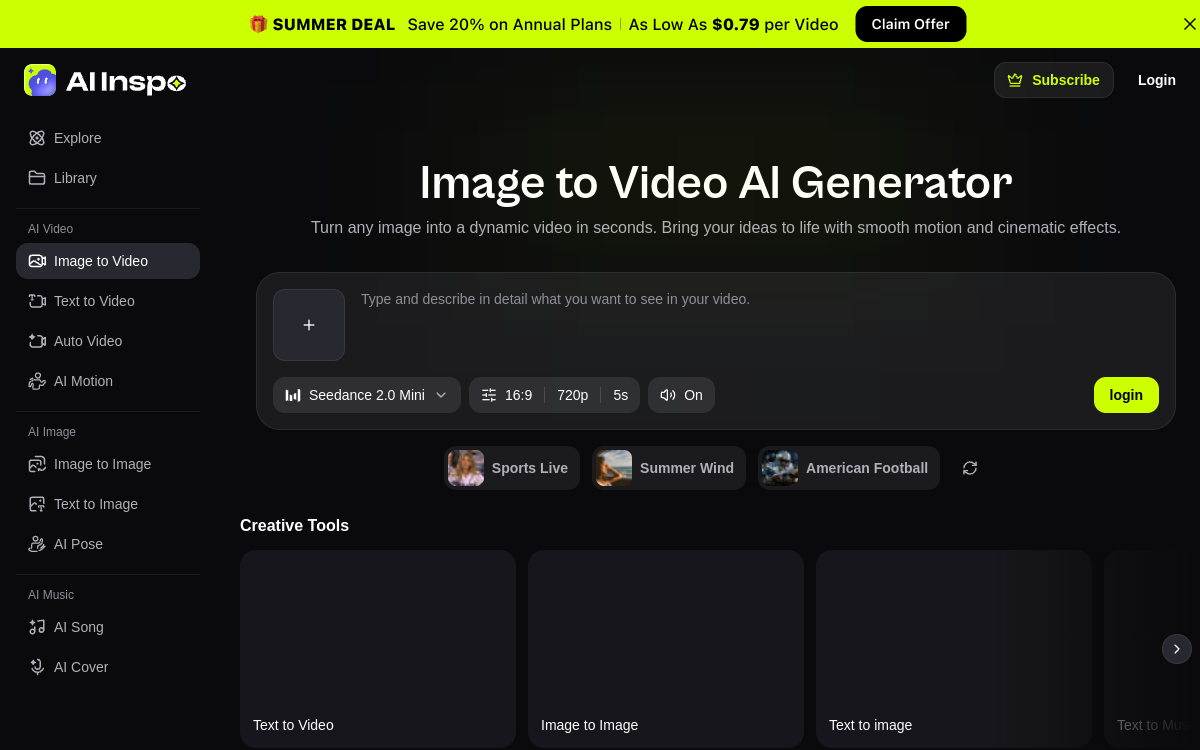
Creating a short video that grabs attention on TikTok or Reels used to require mastering editing software, choosing the right AI model, and writing precise prompts. AI Inspo seeks to remove these friction points by bringing video, image, and music generation together on a single platform. Its Image-to-Video tool focuses on a simple promise: take a photo or illustration and get an animated clip with movement, transitions, and cinematic effects. The platform’s distinguishing feature is its multi-model approach: rather than relying on a single engine, it aggregates more than ten video models among the most recognized on the market, including Sora, Kling, Veo, and Runway. Users can experiment with different rendering styles without subscribing to multiple separate services. With a library of over 2,000 templates and effects geared toward social trends, AI Inspo targets creators, marketers, and e-commerce sellers who want to produce quickly, without technical baggage. This article details what the tool actually does, its named features, use cases, and pricing structure to help you judge whether it meets a real need.
What is AI Inspo?
The essentials
AI Inspo is an online AI-assisted content creation platform organized around three pillars: video, image, and music. Its flagship module, Image-to-Video, converts a static visual into an animated sequence. Where many tools impose a single engine, AI Inspo acts as an access layer to multiple third-party models: Sora for narrative ideas, Kling for realistic movement from an image, Veo for prompt adherence and quality, Runway and others for varied styles. In practice, the user uploads an image or enters text, optionally selects a template, and the platform generates the video. No timeline editing is required. Claiming over 200,000 creators, the tool positions itself on the short, social, and advertising content niche, accessible directly from your browser.
Key features
The core of the offering rests on several named tools. Image-to-Video animates a photo or artwork by adding movement, transitions, and effects, ready to export. AI Motion Generator takes a portrait or static image and produces smooth, realistic animation in seconds. AI Pose Generator creates anatomically coherent character poses from a reference image or description, useful for character design, animation keyframes, and visual storytelling. Auto Video Generator converts a text idea into a complete video with movement, transitions, and structure. In addition are text-to-video and video-to-video modes, which complete the creation pipeline. The platform also provides over 2,000 templates and effects aligned with trends, which avoids starting from a blank slate. Finally, image and music generation on the same interface allows centralizing multiple stages of content production, from visual to sound, without switching tools. The central argument remains unified access to over ten video models, which lets users compare renderings according to their desired result without technical manipulation.
Use cases
Use cases focus on short social content. A creator can turn a profile photo or illustration into an animated clip for a TikTok post or Reel without opening editing software. Community managers feeding multiple networks find a way to quickly produce vertical format variations for Reels and YouTube Shorts. On the e-commerce side, sellers animate their product visuals to create presentation videos or dynamic ads from static catalog images. Marketers appreciate being able to test multiple video models on the same idea to retain the best-performing rendering before publishing. Illustrators and designers leverage AI Pose Generator and Motion Generator to bring their creations to life or prepare keyframes. The absence of a technical learning curve broadens use to non-editing profiles.
Advantages
The first benefit is time savings: go from an image to a publishable video in a few clicks, without timeline or advanced settings. The second is financial and practical: bringing together over ten video models in a single subscription avoids multiplying subscriptions to Sora, Kling, Veo, or Runway separately. The third lies in creative flexibility: being able to quickly compare multiple rendering styles on the same idea helps find the most compelling angle for a social audience. The presence of trend-oriented templates also reduces the risk of producing off-topic content versus formats that work. Finally, centralizing video, image, and music on a single platform simplifies production flow for small teams and solo creators, who no longer need to assemble multiple services.
Pricing
AI Inspo operates with a credit system and billing displayed by the week. The free plan offers 100 credits per week, roughly 3 videos and 3 images, with a single parallel task and watermarked exports. The Lite plan, around $9.09 per week, provides 1,000 weekly credits and allows up to 20 videos and 20 images. The Pro plan, around $27.27 per week and presented as the best value, scales to thousands of weekly credits, up to 200 videos and 200 images, 4 parallel tasks, faster generation, and watermark-free exports. All plans include templates, multi-model support, and text, image, and video-to-video modes. Additional credit packs can supplement the Pro plan’s weekly allocation.
Conclusion
AI Inspo is a relevant solution for anyone wanting to quickly produce short videos for social networks without editing expertise. Its major strength is unified access to over ten reference video models, which avoids juggling multiple subscriptions and facilitates rendering comparison. The Image-to-Video tool and trend-oriented templates make it a good starting point for TikTok, Reels, and Shorts. The weekly credit system and watermark on the free plan are the main drawbacks, as is the lack of fine timeline editing. For social and e-commerce use focused on speed, the offering delivers on its promises; for long editing and frame-by-frame control, a specialized tool remains preferable.