


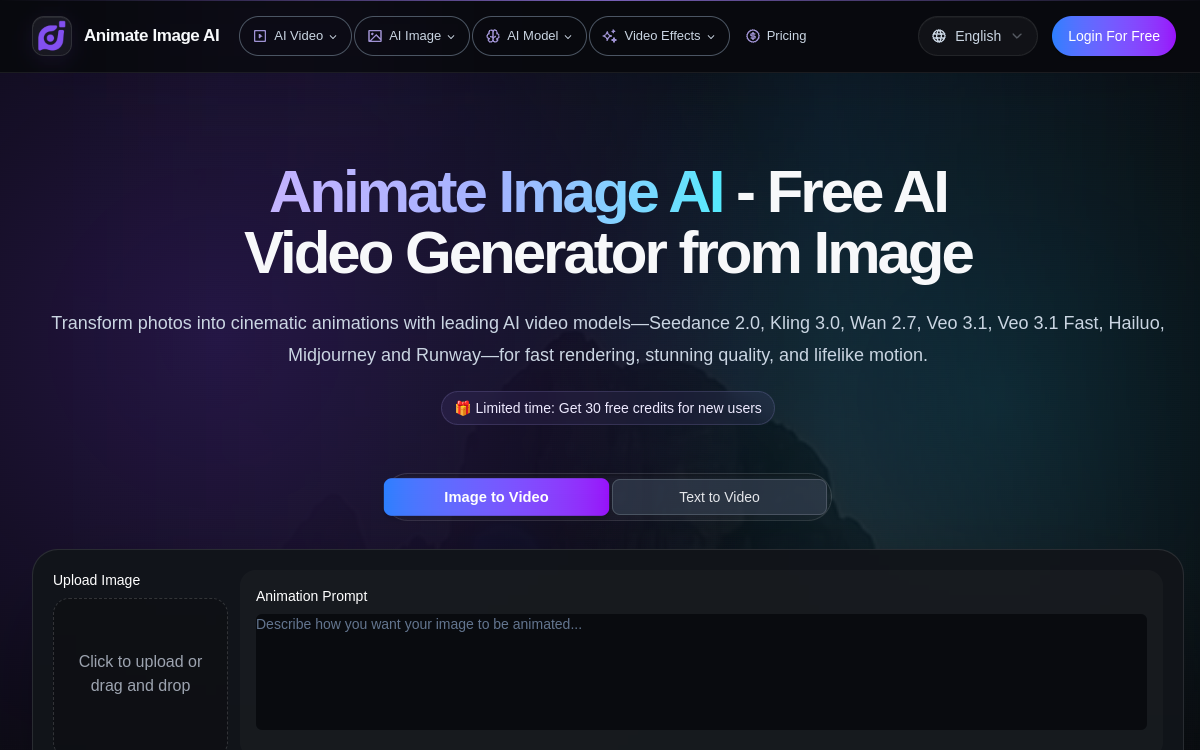
Bringing a photo to life is no longer reserved for motion design experts. AI Animate Image offers a radically simplified approach to transitioning from still image to animated video, relying on video diffusion models trained to produce natural movement. The user uploads their photo, optionally adds a description of the expected movement, and retrieves a short MP4 clip in a few minutes, ready to be published on social networks or integrated into a larger edit. This logic particularly appeals to content creators, digital marketers, photographers, and community managers who need to regularly produce dynamic visuals without investing in advanced editing skills. At a time when platform algorithms heavily favor animated content, having a tool capable of animating a shot in seconds is a real production accelerator. AI Animate Image thus positions itself as a discreet but effective companion to enrich a visual strategy, prototype concepts before a shoot, or simply add depth to a portfolio. This comprehensive guide details the platform’s features, use cases, benefits, and business model.
What is AI Animate Image?
The essentials
AI Animate Image is a browser-accessible AI video generator designed to transform a static image into a short animated clip. Specifically, the user drops a photo onto the platform, optionally adds a text instruction describing the desired movement, and then starts the generation. The image-to-video models used produce an animation consistent with the composition of the source image, simulating parallax effects, wind blowing, camera movement, or ambient life. The service is multilingual, supports multiple locales, and requires no installation or special technical skills. The result is downloaded as a standard MP4, immediately compatible with social platforms and major editing software. The platform also offers galleries of examples allowing users to visualize the types of animations they can expect depending on the source content. The tool is part of the broader trend of consumer AI platforms aiming to simplify once-technical tasks.
Key features
AI Animate Image focuses on simplicity of use with direct photo upload, an optional prompt editor, and automated cloud rendering. The platform supports several common input formats such as JPG, PNG, and WebP, and offers parameters to guide the intensity of the movement. The underlying engine relies on video diffusion models capable of generating credible movement from visual cues present in the image. The optional text prompt serves as a creative guide: the user can describe a slow pan, a zoom effect, leaf movement, or a general atmosphere. The output comes as a ready-to-publish MP4 file, generated in a few minutes depending on the service load. The multilingual interface covers about ten languages, which considerably widens its audience. The platform also offers galleries of examples and short demonstrations to inspire users and illustrate the creative potential of the animation engine. The whole system is designed for quick use from any connected workstation, without prior configuration or local installation, making it a relevant tool for both freelancers and marketing teams. The platform also offers a history management system to find recent creations and re-export them if needed.
Use cases
The use cases for AI Animate Image span both social content creation and product communication. A community manager can animate a product photo to transform it into a captivating Instagram story. A photographer can offer clients a unique deliverable by adding a motion effect to a portrait or landscape. A marketing team can adapt a static visual into several animated versions to test engagement on social ads. YouTube and TikTok creators use the tool to generate quick B-rolls from royalty-free stock images. Real estate agencies can make interior photos more dynamic. Online stores increase click-through rates by animating their product page images. Even individuals find it a fun way to bring old family photos to life or create animated cards. This versatility, combined with the speed of generation, explains why the tool reaches such a diverse audience.
Advantages
The first benefit is obvious: massive time savings compared to manual editing in After Effects or DaVinci Resolve. Where creating a parallax animation takes several hours for a motion designer, AI Animate Image delivers a render in a few minutes. The second benefit is accessibility: no technical skills are required, which democratizes the production of animated content. The third is financial: the platform offers free use for testing, which eliminates the barrier to entry. Added to this is the portability of the result, exported in standard MP4, and the ability to quickly iterate on several variations to identify the most effective render. For marketing teams running A/B testing campaigns, this agility represents a real lever for creative performance and an accelerator of production cycles. For teams industrializing their production, the cumulative time savings quickly translate into hours saved each week on recurring tasks.
Pricing
AI Animate Image operates on a freemium model accessible directly from the site. Users can generate their first animations for free to judge the quality of the render and suitability for their needs. Beyond the free quota, paid options or additional credits are offered for intensive use, with rates tailored to regular creators as well as professional teams. This strategy helps democratize access while offering a monetization path for heavy users. Before making any commitment, it is recommended to perform several tests with photos of various types (portraits, landscapes, products) to evaluate the quality-to-budget ratio on your own content.
Conclusion
AI Animate Image stands out as one of the most accessible ways to add movement to a photo without investing in expensive software or building motion design skills. Its ultra-simple interface, powerful image-to-video engine, and freemium model make it a relevant choice for creators, marketers, and photographers who want to enrich their dynamic content production. For advanced needs or broadcast workflows, it will be necessary to complement it with more specialized tools, but for the vast majority of daily social and marketing uses, the tool provides a highly effective service and deserves a place in the modern creator’s toolkit.