


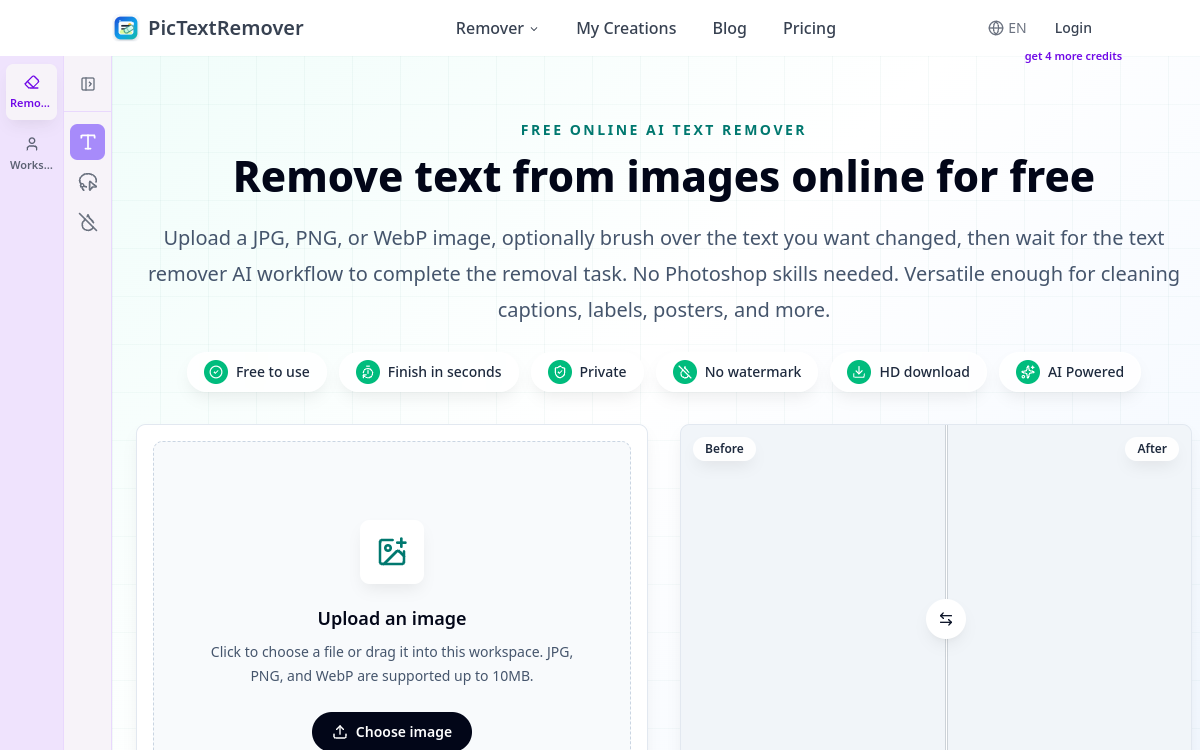
Removing text from a photo has long required mastering editing software, knowing how to clone pixels, and patiently reconstructing a background. PicTextRemover offers a radically simpler approach: you upload an image, the AI detects the text, erases it, and reconstructs the background in about thirty seconds. Designed for e-commerce sellers, marketers, and designers, the tool targets a very concrete and recurring need: cleaning up visuals cluttered with supplier labels, watermarks, timestamps, or old slogans that have become obsolete. Accessible directly from the browser, it requires no installation or special computer graphics skills. In this article, we detail what PicTextRemover actually does, its main features, its typical use cases, its advantages, its pricing, and our conclusion, relying solely on the information published by the publisher. The goal is to help you determine if this tool fits your way of working with images, whether for occasional use or a more regular need for visual cleanup.
What is PicTextRemover?
The essentials
PicTextRemover is an online image text removal service based on artificial intelligence. Its principle is to locate characters present in a photo, delete them, and then reconstruct the hidden portion of the background to obtain a coherent result. Unlike a generalist photo editor, it focuses on this single task and automates it as much as possible. Users can rely on automatic detection or manually paint the areas to be processed when the result requires more precision. The tool supports JPG, PNG, and WebP images up to 10 MB and delivers a cleaned file downloadable in high definition. It is aimed at both professionals and individuals looking for a quick result without a learning curve.
Key features
The core feature of PicTextRemover is automatic text detection: the AI independently identifies areas containing characters to erase them. For more complex cases, a manual brush mode allows users to precisely select the portions to be processed, which is useful when text overlaps sensitive visual elements. Background reconstruction is the other pillar of the tool: after removal, the algorithm reconstructs the background to avoid empty or blurry areas. On the input side, the tool accepts JPG, PNG, and WebP formats with a limit of 10 MB per file, covering most photos intended for the web. The result is downloadable in HD, and paid plans remove all watermarks. Processing takes about 30 seconds per image, a pace suitable for interactive use. Finally, privacy is built into the workflow: by default, uploaded files are automatically deleted after seven days, limiting data retention. The entire system is used directly in the browser, without installation.
Use cases
PicTextRemover addresses several concrete situations. In e-commerce, it is used to clean up product photos by removing price tags, supplier mentions, or watermarks that do not belong on a product page. In marketing, it allows refreshing old posters or promotional visuals by erasing outdated text to replace it with an updated message. For preparing presentations, it helps clean up screenshots before adding new annotations. For personal use, it erases timestamps, captions, or unwanted inscriptions on souvenir photos. In all these cases, the benefit is the same: saving time by avoiding tedious manual clipping, while maintaining a credible background.
Advantages
The first benefit of PicTextRemover is simplicity: no editing skills are required, making it accessible to non-specialist teams. Speed is a second asset, with processing taking about thirty seconds per image, which easily integrates into a workflow. The combination of automatic detection and manual brush offers a good balance between convenience and control, allowing both simple cases and delicate areas to be handled. The HD output and the absence of watermarks on paid plans guarantee professionally usable visuals. Finally, the automatic deletion of files after seven days provides reassurance regarding data management, a valuable point for sensitive or commercial images.
Pricing
PicTextRemover offers a voluntarily limited free access: one removal for anonymous visitors and two for logged-in users. Beyond that, three subscriptions are available. The Lite plan is priced at $8/month ($96/year) with 140 monthly credits, which is up to 70 images. The Pro plan costs $14/month ($168/year) for 280 credits, or up to 140 images. The Max plan, presented as the best value, is $30/month ($360/year) with 700 credits, or up to 350 images. All three offers include watermark-free downloads and email support. Annual billing applies discounts of up to 40%.
Conclusion
PicTextRemover is a specialized tool that effectively fulfills a precise mission: erasing text from an image and reconstructing the background without resorting to complex software. Its speed, simplicity, and dual automatic and manual approach make it a relevant solution for e-commerce sellers, marketers, and designers who need to clean up visuals regularly. The minimal free quota quickly encourages upgrading to a subscription, but the rates remain affordable compared to the time saved. If your need is limited to removing text from photos, it is a direct and accessible option to try before committing.