



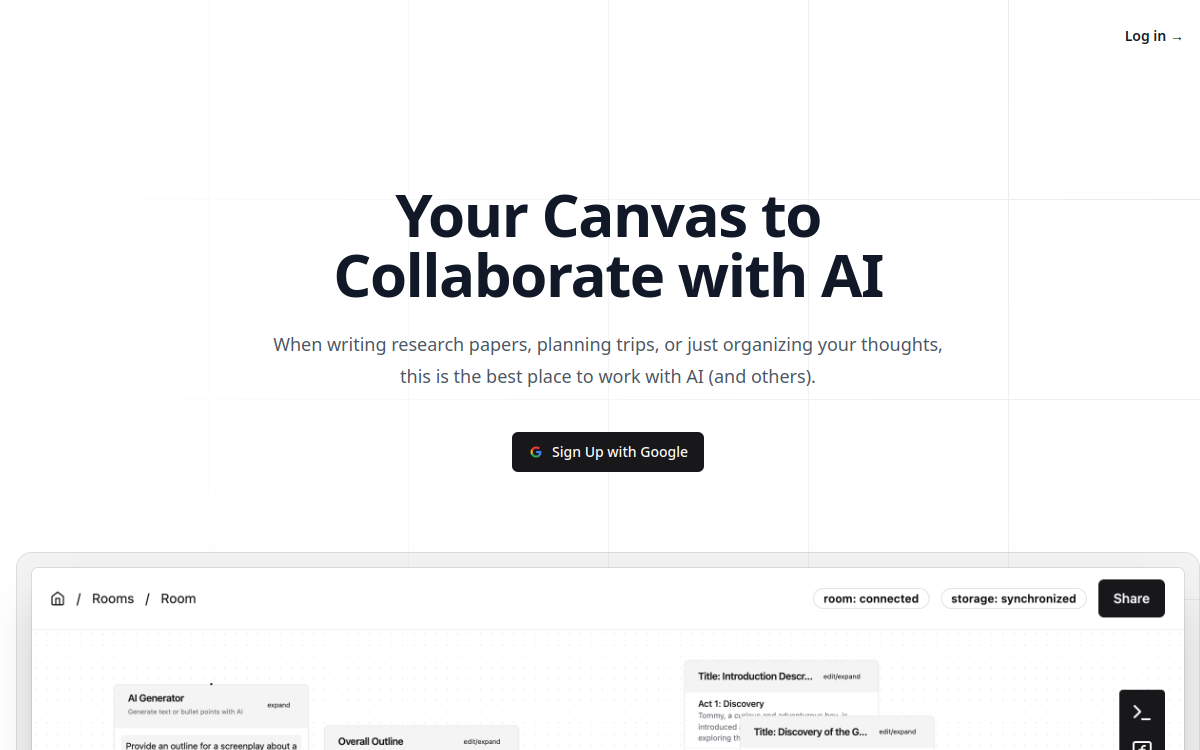
Working with artificial intelligence on a daily basis often means going back and forth between a chat window and your documents. You copy an answer, paste it elsewhere, ask another question, and lose your train of thought. lxi.ai starts from this very concrete observation: a linear chat does not reflect how we actually work, which is iterative, branching, and collaborative. Rather than a simple conversation area, lxi.ai offers a visual canvas workspace where AI-generated content becomes blocks that you organize, connect, and reuse. Still in its beta phase, the tool relies on three strong ideas: keeping the work context in one place, processing multiple elements at once using function nodes, and enabling real-time collaboration. This article reviews what lxi.ai has to offer, how it works, its use cases, and its current limitations, to help those looking for an alternative to classic AI chat get a clear picture.
What is lxi.ai?
The essentials
lxi.ai is a canvas-based workspace designed for iterative, AI-assisted workflows. Instead of chaining messages in a linear conversation, the user has an open surface on which they place content, prompts, and results in the form of blocks. The product’s core argument is that a classic chat cannot keep up with real work, which is made of back-and-forth adjustments and revisions. lxi.ai therefore aims to integrate AI directly into the work context to eliminate constant copying and pasting between documents and chat. The product is currently in beta and accessible for free, with registration via a Google account.
Key features
The core of lxi.ai relies on its canvas, a free-form workspace where you visually organize your elements. AI-generated outputs can be stored and reorganized by drag-and-drop, transforming responses into reusable content blocks rather than ephemeral messages. The most distinctive feature is undoubtedly the function node: it allows you to apply the same prompt in batches to multiple inputs at once, automating repetitive processes and saving time on high-volume tasks. lxi.ai also integrates real-time collaborative editing, so that multiple team members can work simultaneously on the same space. This combination aims at a clear goal: keeping the work context in one place and giving the user control over the generated content, with the AI assisting the work without completely replacing it. Registration is done via Google authentication.
Use cases
The website highlights several typical use cases for iterative processes. Writing research papers is a good example: you collect notes, generate paragraphs, reorganize them, and gradually refine them on the canvas without losing the overall structure. Trip planning illustrates a more personal use, where you combine ideas, options, and constraints in one place. Finally, organizing ideas corresponds to any structuring work where you start from a set of scattered elements to arrive at a coherent document. Thanks to function nodes, these use cases also benefit from batch processing, which is useful, for example, for summarizing multiple sources or rewriting several passages at once. The collaborative dimension opens these same scenarios to teamwork.
Advantages
The main benefit of lxi.ai is reducing friction between AI and actual work. By keeping everything on a single canvas, the tool limits copying and pasting and switching between multiple windows, which helps maintain context throughout a project. Batch processing via function nodes saves time on repetitive tasks, while real-time editing facilitates coordination within a team. Finally, the tool’s philosophy, which puts the user in control rather than delegating everything to the AI, meets a need for control and quality that many are looking for. For a free beta use, the whole package is an interesting proposition to explore.
Pricing
lxi.ai is currently in its beta phase and offers free access to its early users. To date, no detailed pricing plans have been published on the site for the post-beta period, nor any specific pricing tiers for potential paid offers. Registration is done simply via a Google account. Interested users should therefore take advantage of this period to test the tool without commitment, keeping in mind that the business model may evolve once the product leaves its beta phase.
Conclusion
lxi.ai tackles a real limitation of conversational assistants: their linear format, which is poorly suited to iterative and collaborative work. With its canvas, function nodes, and real-time editing, it offers a credible approach to keeping context in one place and working together. The product is still in beta, with no published pricing and still limited integrations, which calls for caution regarding its maturity. For those who want to go beyond simple chat and test a more visual AI environment, the current free access makes it an experience worth trying.