


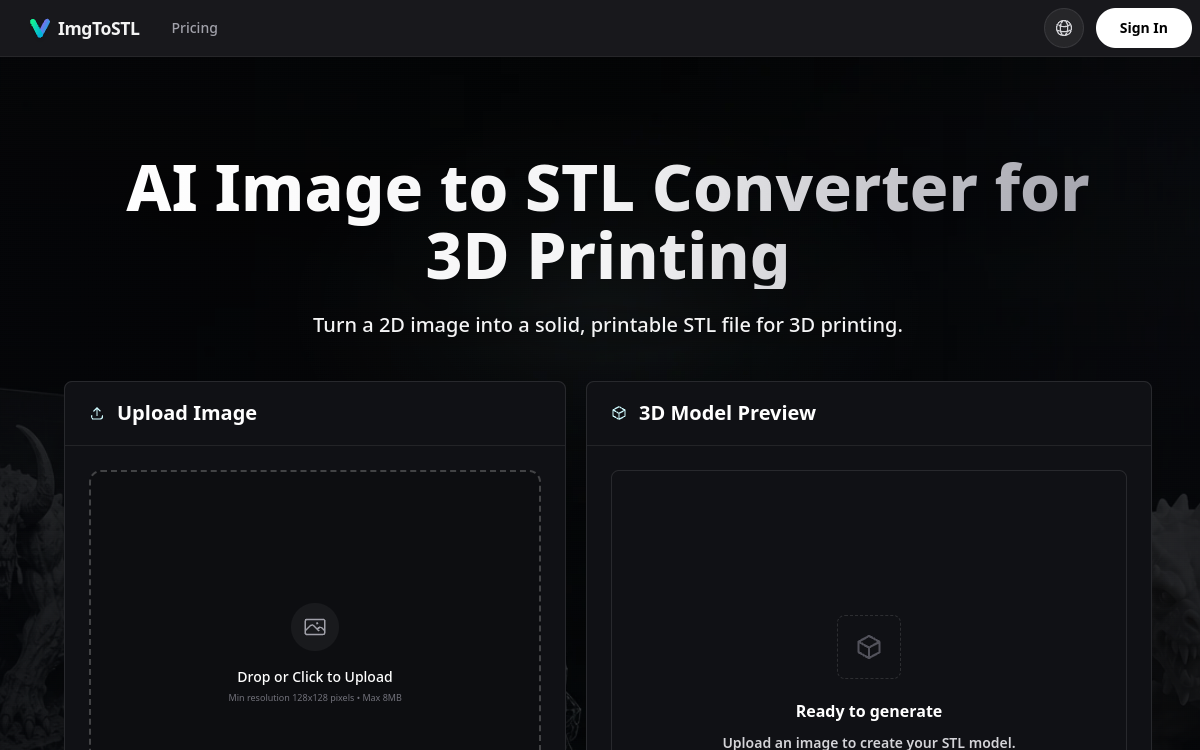
Going from a simple photo to a 3D printable object previously required advanced modeling expertise. You had to master software like Blender or Fusion 360, understand mesh topology, and spend hours reconstructing a volume from a flat reference. ImgToSTL offers a practical shortcut to this problem: an online converter that transforms a 2D image into a STL file ready for 3D printing, thanks to artificial intelligence reconstruction. The idea is not to produce a flat relief or a heightmap, but to analyze the silhouette, contrast, and depth cues of the image to generate a truly volumetric geometry. For makers, 3D printing enthusiasts, and designers in the prototyping phase, it is an appealing promise: obtaining a usable model in just a few steps, without opening CAD software. This article details what ImgToSTL is, its features, use cases, strengths, pricing model, and what to realistically expect before starting your first conversions.
What is ImgToSTL?
The essentials
ImgToSTL is a web service specialized in converting 2D images into printable 3D models. Its artificial intelligence engine takes a photo or illustration as input and reconstructs a three-dimensional shape that it exports to STL format, the standard for 3D printing. Unlike tools that merely extrude an image into relief, ImgToSTL attempts to interpret the subject’s depth and silhouette to produce a more complete and solid mesh. The service accepts JPG, JPEG, PNG, and WebP files, and outputs STL as well as GLB, OBJ, and FBX formats, which are useful for game engines or 3D pipelines. It is aimed at hobbyists, product designers, and manufacturers alike, with a commercial license included in all offers.
Key features
ImgToSTL emphasizes a few key features around image-to-3D conversion. The first is the interactive preview: before downloading, users can rotate the generated model to check its shape from all angles. Next is mesh reconstruction, where the AI analyzes the subject, its silhouette, contrast, and depth cues to generate printable geometry rather than a simple relief. The tool also offers texture generation, accompanied by PBR maps (roughness and metallic), allowing for textured models that can be used in realistic renderings. In terms of formats, ImgToSTL is not limited to STL: it also exports to GLB, OBJ, and FBX, thus covering both 3D printing needs and content creation for video games or visualization. The technical constraints are clear: an image of at least 128×128 pixels and a maximum of 8 MB. Finally, access to all available AI models is included in each credit pack, and the cost of an operation is displayed before confirmation, allowing users to keep control over their consumption.
Use cases
The use cases for ImgToSTL are diverse, revolving around the manufacturing of physical objects or the creation of digital assets. Board game enthusiasts use it to generate miniatures and props for printing. Makers and DIYers use it to recreate spare parts from a photo, or to quickly go from a sketch to a tangible prototype. In the field of cosplay and DIY, it is used to design armor pieces or custom jewelry. Signage creators use it to convert a logo into a STL object, for example, for signs or relief elements. Finally, product designers find it a way to speed up their iterations by transforming visual references into manipulable volumes, before refining them in traditional modeling software if necessary.
Advantages
The main benefit of ImgToSTL is time savings: it avoids hours of manual modeling to obtain an initial usable volume. Accessibility is another major asset, as the tool runs entirely in the browser and requires no CAD skills. The variety of output formats, from STL to FBX, broadens the possibilities far beyond 3D printing alone. The subscription-free credit model appeals to occasional users who do not want to commit to a recurring payment, and the included commercial license reassures professionals. Finally, the fact that credits are only deducted in the event of a successful generation limits the financial risk associated with processing failures, which is appreciated for a tool relying on sometimes unpredictable reconstruction.
Pricing
ImgToSTL operates on a one-time credit purchase system, with no subscription or automatic renewal. The Starter pack offers 800 credits for $9.90, which is about 8 generations. The Pro Standard pack, presented as the most popular, offers 3,000 credits for $29.90, or about 30 generations, with priority support. The Max Value pack goes up to 8,000 credits for $69.90, or about 80 generations, also with priority support. Credits remain valid for up to one year, the cost of an operation varies depending on the model used and is displayed before confirmation, and all packs include a commercial license. No free offer or trial is mentioned.
Conclusion
ImgToSTL addresses a specific and increasingly common need: converting an image into a printable object without going through manual modeling. Its ability to produce a volumetric mesh, its rotatable preview, and its range of formats make it a versatile tool for makers and 3D creators alike. The subscription-free credit model is suitable for occasional use, although the lack of a free version and the variable quality of the reconstruction suggest testing with well-contrasted images. For anyone looking for a quick shortcut between photo and 3D printing, it is a pragmatic option to consider.