


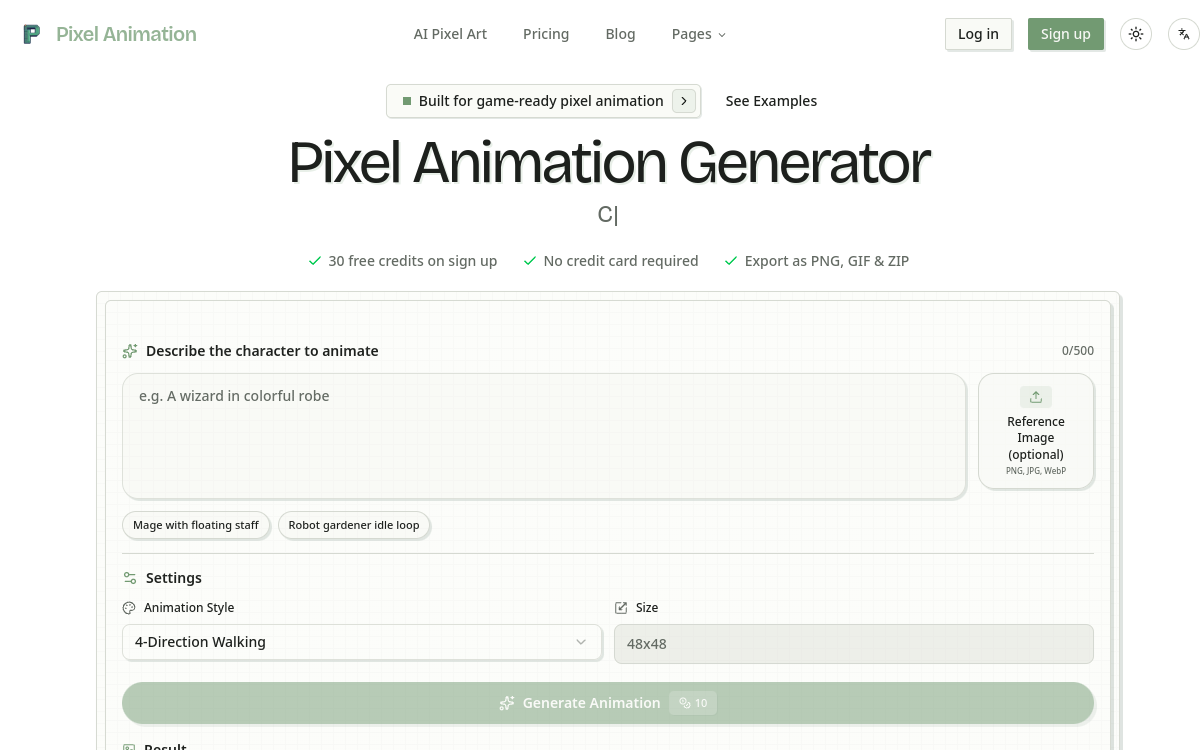
Pixel Animation is an AI generator specialized in animated pixel art. From a prompt, the tool produces sprites, spritesheets and VFX effects ready to integrate into Unity, Godot, Phaser or any game engine. It offers several pixel art styles, animations like idle, walk, attack or VFX, plus the ability to import a reference image to stay true to an existing universe. Exports cover PNG, GIF and ZIP, with integrated frame editor to verify render frame by frame. Designed for indie game developers and solo devs, the tool drastically accelerates creation of pixel assets.
What is Pixel Animation?
The essentials
Pixel Animation is a web app generating animated pixel art sprites from text prompt. The user describes the character, their action and style, chooses animation type and sprite size, and the tool produces an exportable spritesheet as PNG, GIF or ZIP. The platform offers frame editor to validate each image, and style system to ensure visual harmony between multiple sprites of the same game. Walking, 4-Direction Walking, Walking & Idle, Attack and VFX modes cover most common 2D game animation types.
Key features
Pixel Animation offers several levers to produce coherent animations. Text prompt structures character description, appearance and action. Choosing a pixel style from several presets guides palette and contour fineness. The 4-Direction Walking mode is particularly useful for RPGs or platformers requiring character from four different angles. VFX modes produce effects like slashes, portals or explosions, essential for combat visual component. Support for reference image lets you stick to an existing universe, for example generating a new monster in a cast’s existing style. Sprite sizes cover 32×32, 48×48 and several higher tiers, sufficient for most 2D retro games. The integrated frame editor lets you visualize each image in the spritesheet and toggle GIF mode to verify smoothness. Exports respect common engine conventions like Unity or Godot, simplifying integration into final project.
Use cases
The first use case is producing characters for indie games. You generate a hero, several enemies and their walk cycle in minutes, freeing time for game design and level design. The second case is VFX creation for combat or special abilities, particularly useful in game jams. The third case is producing animated stickers for Discord, X or gaming-oriented social networks. The fourth case is prototyping vertical slice for pitch or playable demo, where production pace trumps perfection. The fifth case is enriching existing library with coherent assets, especially via reference image. For studios releasing games in early access, the tool lets them regularly add new content without blocking roadmap.
Advantages
The first benefit is speed. An animation taking a sprite artist half a day produces in minutes. The second benefit is team productivity. Solo developers can iterate without depending on a freelancer, reducing friction and cost. The third benefit is style consistency thanks to customizable styles and reference image. The fourth benefit is universal export: PNG, GIF and ZIP cover all pipelines, avoiding manual conversion. Finally, the integrated frame editor accelerates quality control, avoiding back-and-forth in Aseprite or GraphicsGale.
Pricing
Pixel Animation offers 30 free credits at signup, allowing about a dozen animations depending on complexity. Paid plans start around $9 per month and increase credit tiers, number of simultaneous tasks and queue priority. Higher plans unlock more styles, more high-size generations and private asset ownership. Credit packs are also available to absorb production spikes. The value-for-money remains very favorable compared to a freelance pixel artist, especially in prototype phase.
Conclusion
Pixel Animation addresses a real expectation on the market for indie game dev tools. It doesn’t replace a senior sprite artist for premium productions, but drastically accelerates animation phase for most indie projects. With its styles, animation modes and universal exports, it’s an excellent companion for saving entire days on a 2D game’s roadmap.