
EZTrimmer

Trim, split and export video in seconds, from your browser, no sign-up or ads.

Productivity Video
#Browser extensions #Content Creation #Social Media #Video editing

Overview of EZTrimmer

https://eztrimmer.io/
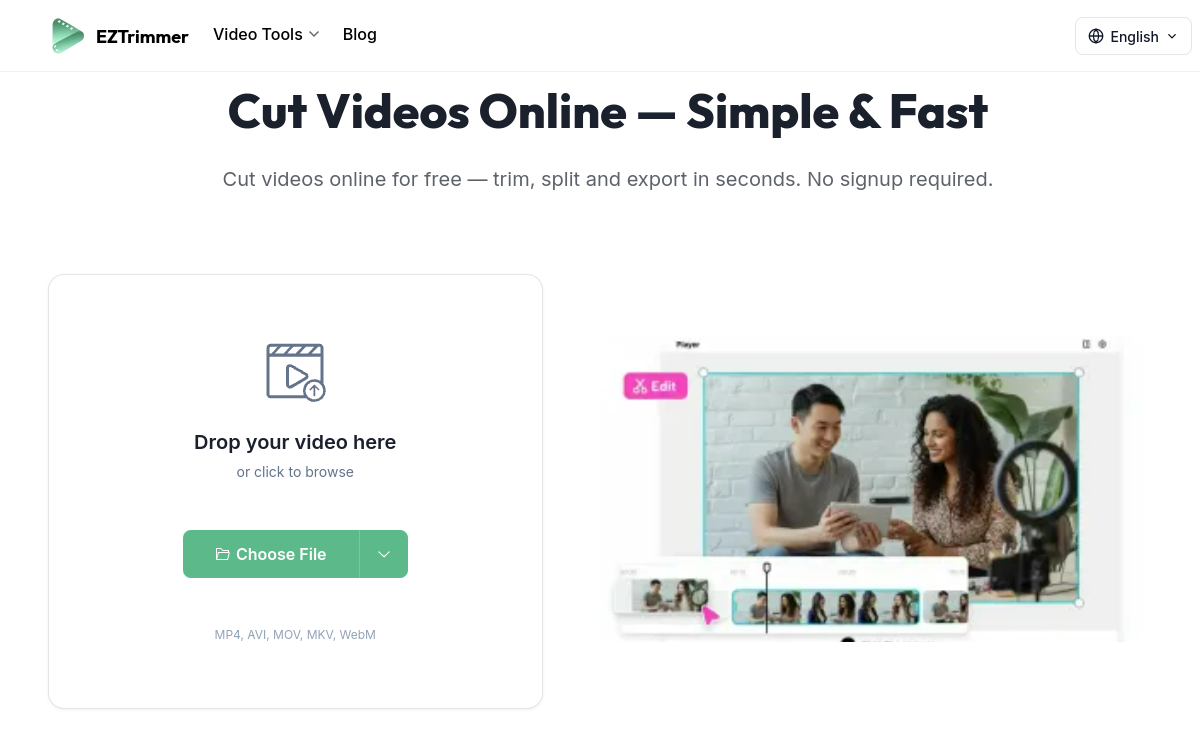
Screenshot of EZTrimmer
Visit EZTrimmer →

Présentation détaillée

EZTrimmer is a minimalist online tool designed for creators who want to cut and trim a __video__ quickly, without installing software or creating an account. It supports __MP4, AVI, MOV, MKV and WebM__ formats, offers import from Google Drive, Dropbox or via URL, and allows export without __watermark__. Beyond cutting, it offers a suite of simple tools (rotate, flip, merge, splitter, MKV cutter) that cover basic __video editing__ needs for social networks.

What is EZTrimmer?

EZTrimmer is a web video trimming service. The user drops a video, either by drag-and-drop or by importing it from Google Drive, Dropbox or a URL. They then define the range to keep and export. Everything works without any sign-up. Beyond the main trim, EZTrimmer offers several complementary tools (MKV cut, video splitter, video trimmer, rotate, flip, merge) accessible from the same interface, to cover the essentials of basic video manipulation.

Main Features

The heart of EZTrimmer is trimming: you define the start and end points on a simple timeline, and the tool exports the desired segment. The export doesn’t degrade quality and doesn’t unnecessarily re-encode short videos. Other tools complement common needs: Rotate Video corrects orientation, Flip Video applies a mirror, Merge Videos merges multiple files into one, Video Splitter cuts a video into multiple pieces, MKV Cutter specifically targets the MKV format often resistant to web tools. EZTrimmer accepts MP4, AVI, MOV, MKV and WebM, which covers nearly all video files encountered daily. The interface is deliberately minimalist: no advanced timeline, no effects, just the essentials to get the job done quickly.

Use Cases

EZTrimmer addresses dozens of common use cases. A YouTuber can cut the introduction from a video before export. A community manager splits a long video into multiple Reels or Shorts. A parent extracts a specific moment from a family video. A student keeps only the relevant part of a recorded lesson. A merchant prepares a product teaser for Instagram. A journalist extracts a passage from a long recording. The common point in all these cases: speed takes priority over functional complexity.

Advantages

The main benefit is simplicity: no installation, no sign-up, no learning. The second is friction-free: no watermark, no ads, no pop-ups. The third is format coverage: MP4, AVI, MOV, MKV and WebM make it a universal tool. The fourth is functional coverage: trim, split, merge, rotate, flip cover the essentials without juggling between multiple services. The last is cost: completely free, with no hidden subscription.

Pricing

EZTrimmer is a free service. The homepage doesn’t mention paid plans. This makes it one of the most accessible tools for online video trimming, without the pitfall of sign-up or watermark revealed at the end of the chain.

Conclusion

EZTrimmer is a refreshing reference in a category often saturated with aggressive tools. For anyone who just wants to cut, merge or split a video quickly, it offers the most direct experience possible.

✅ Strengths

  • No sign-up required, no watermark on export
  • Supports MP4, AVI, MOV, MKV, WebM
  • Direct import from Google Drive, Dropbox or URL
  • Complementary tools: rotate, flip, merge, splitter
  • Simple interface, ideal for non-technical users
  • No intrusive ads during use

⚠️ Limits

  • No (yet) advanced timeline for editing
  • No AI features (transcription, generation)
  • File size limits on very large uploads
  • No multi-user collaboration mode
  • High-end features limited compared to Descript
👤 GOOD CHOICE?

EZTrimmer est-il fait pour vous ?

✓ Ideal if you…

  • Content creators who cut clips quickly
  • Community managers for TikTok, Reels, Shorts
  • Students editing course videos
  • Individuals wanting an installation-free tool
  • Small businesses without a pro editing budget

✗ To avoid if you…

  • Pros looking for an advanced editing suite
  • Studios wanting advanced effects and VFX
  • Workflows requiring team collaboration
  • Broadcast or TV productions

🎯 Our verdict

EZTrimmer bets everything on simplicity and speed, and that’s precisely its strength. For the vast majority of everyday use cases (cutting the start of a video, exporting an excerpt, merging two clips), it does the job in seconds, without sign-up, without watermark and without intrusive ads. That’s rare enough in 2026 to deserve mention. Its complementary tools (rotate, flip, merge, splitter, MKV cutter) cover the essentials of basic needs. Of course, it doesn’t compete with a real editing suite like Descript or DaVinci Resolve, but that’s not its goal. For content creators, community managers and individuals who want a clean and instant tool, EZTrimmer deserves top pick status. The promise of no signup, no ads, no watermark is kept, making it a refreshing favorite in the category.

❓ FREQUENT QUESTIONS

FAQ — EZTrimmer

Do I need to sign up to use EZTrimmer?
No. EZTrimmer works entirely without sign-up. You upload your video and the result is exportable immediately.
Is there a watermark on the export?
No. Exported videos contain no watermark, it’s one of the tool’s central promises.
What formats are supported?
MP4, AVI, MOV, MKV, WebM and most standard video formats for both upload and export.
Can I import from the cloud?
Yes. EZTrimmer offers imports from Google Drive, Dropbox or via a direct URL.
What other operations are possible?
Beyond trimming, you can rotate, flip, merge multiple videos, split them or cut an MKV file specifically.
★★★★½ 4.6/5 (67 avis)
✅ Verified by Comparateur-IA
Productivity Video

Trim, split and export video in seconds, from your browser, no sign-up or ads.

💰 Rate Free
🆓 Free trial Yes
🌐 Languages ANGLAIS, MULTILINGUE
Visit the site →
🔗 Also to discover

Related resources

This site is registered on wpml.org as a development site. Switch to a production site key to remove this banner.